


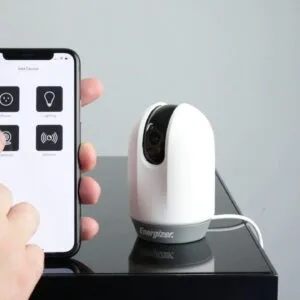


In recent days, the concept of a smart home has become increasingly popular among consumers seeking to enhance their living spaces with automation. The good news is that creating a budget-friendly smart home setup is entirely possible without breaking the bank. With just a few tips and tricks, you can transform your home into a cohesive environment that caters to your needs while providing functionality and convenience.
- Understand smart home basics and choose devices that enhance security, energy efficiency, and comfort while fitting your existing setup.
- Prioritize affordable security like Wyze Cam and smart locks to monitor activity and control access remotely.
- Use motion sensors and automated lighting to deter intruders, save energy, and improve visibility throughout your home.
- Select compatible devices and hubs, favoring Z-Wave or Wi-Fi products for seamless integration and easy expansion.
- Secure devices: change default passwords, update firmware, and isolate smart gadgets on a separate Wi-Fi network.

Before diving into purchasing new devices, it’s important to understand the basics of smart home systems. Whether it’s a smart door lock, lighting automation, or occupancy sensors, these types of devices can significantly improve your daily life by offering enhanced security, energy efficiency, and comfort. Brands like Echo or Wink provide affordable options that are easy to install and integrate into your existing setup. By choosing the right devices, you will find that customization and adaptability are within your reach.
The availability of various home automation products on the market means that you have lots of options to consider. From white curtain sensors to smart routers, each device works alongside others to create an intelligent network, ensuring that you are always connected. In this comprehensive guide, we will explore the layers of smart home technology, ensuring that even the most novice DIY enthusiasts can communicate with their devices effortlessly. With the right planning and execution, your dream smart home could be just a few setups away!
Recommended Budget Smart Home Devices (with Amazon Links)
| Product | Category | Main Use | Approx. Price (Amazon) | Typical Rating |
|---|---|---|---|---|
| Wyze Cam v3 1080p HD Indoor/Outdoor Security Camera | Smart Security Camera | 1080p video, motion & night vision, 2-way audio | ~$30–$50 | ⭐ ~4.4+ / 5 |
| August Wi-Fi Smart Lock | Smart Lock | Remote locking, app control | ~$110–$130 (varies) | ⭐ ~4.2+ / 5 |
| Ecobee Smart Thermostat Essential | Smart Thermostat | Remote temp control, schedules & energy savings | ~$129–$150 | ⭐ ~4.3+ / 5 |
| Philips Hue Motion Sensor | Motion Sensor | Automates smart lighting with motion | ~$35–$45 | ⭐ ~4.2+ / 5 |
| Aqara Smart Security Camera | Smart Security Camera | High-quality video, works with ecosystems | ~$70–$120 | ⭐ ~4.1+ / 5 |
| TP-Link Kasa Smart Plug | Smart Plug | Makes devices smart, app & voice control | ~$10–$20 | ⭐ ~4.5+ / 5 |
| Ring Video Doorbell | Smart Doorbell | Motion alerts, video feed | ~$60–$130 | ⭐ ~4.4+ / 5 |
| Wyze Plug | Smart Plug | Adds smart control to lamps & devices | ~$12–$20 | ⭐ ~4.4+ / 5 |
Enhancing Home Security Without Spending a Fortune
Creating a secure smart home doesn’t have to break the bank. In just a few minutes, you can implement cost-effective solutions that enhance your home’s safety. Many homeowners often rush into purchasing expensive devices, but understanding your needs and focusing on affordable options can provide great results.
Start with devices that allow for easy monitoring. Products like smart cameras can help keep an eye on your property. For instance, the Wyze Cam offers high-quality video at a low price and can be integrated with your smartphone for real-time alerts. This way, you can identify suspicious activities immediately without needing to invest in costly surveillance systems.
Additionally, consider upgrading your door locks to smart versions. The August Smart Lock lets you control your door from your smartphone, providing convenience and increased security. You can set up automated routines to lock your door after a specific time or when you’re away, ensuring you never leave your home vulnerable.
| Product | Features | Cost |
|---|---|---|
| Wyze Cam | 1080p HD video, motion detection, smartphone alerts | $35 |
| August Smart Lock | Remote locking, smartphone control, easy installation | $140 |
| Ecobee SmartThermostat | Remote temperature control, voice commands, energy savings | $120 |
Temperature monitoring can also play a vital role in enhancing security. The Ecobee SmartThermostat not only helps maintain your home’s comfort but can also alert you of unusual temperature changes that might indicate an issue, like frozen pipes or unauthorized entry. By integrating Bluetooth devices with your existing appliances, you create a cohesive routine that works seamlessly.
Expert customization options allow you to tailor your setup to your lifestyle. For instance, imagine a scenario where your smart security light switches on automatically when it gets dark, or your indoor cameras send alerts directly to your phone if they detect movement. These features provide an additional layer of security without the need for extensive renovations or costly installations.
Before making any purchases, it’s important to research and identify tools that will work best for your needs. The greatest advantage of a budget-friendly smart home setup is the ability to replace traditional appliances with smart alternatives steadily. By making informed choices, you can transform your space into a secure environment, all while knowing that your cost investments remain within reach.
Identifying Key Security Needs for Your Home
Creating a secure home is essential, and understanding your security needs is the first step. Start by assessing what aspects of your home require the most protection. Make a list of areas that may need security measures, such as doors, windows, and even outdoor spaces. Popular devices like the Honeywell security systems can help centralize your security management.
One of the most effective ways to enhance your home’s safety is through connected devices. With options like Kasa smart plugs or Netatmo outdoor cameras, you can monitor your home easily. These devices not only provide peace of mind but can also sync with your existing smart home systems, like Ecobee smart thermostats. This integration brings numerous benefits, making your home more enjoyable.
Here’s a tip: create schedules for your security devices. For example, set your outdoor lights to turn on at dusk and off at dawn. This small step can deter potential intruders. If you want something more advanced, consider systems that are dedicated to carbon monoxide detection or integrating alarm systems with your smart washing machines and dishwashers. The Blink Outdoor 4 cameras come with customizable settings that allow you to adjust the sensitivity of motion detection, making them reliable for various scenarios.
Remember, improved security doesn’t have to be time-consuming or expensive. Many cost-effective solutions are available on Amazon. With the right setup, you can ensure that your home is not only protected but also a space where you feel safe and secure. In summary, take a step-by-step approach: assess your needs, research products, and implement solutions that suit your lifestyle. This way, you’ll create a connected, secure environment that’s worth your investment.
Choosing Affordable Smart Security Cameras
When it comes to creating a budget-friendly smart home setup, choosing the right smart security camera can make all the difference. The efficiency of these devices ensures that you can monitor your home from anywhere using just your phone. This way, you stay connected without breaking the bank.
Most options on the market today are priced accessibly, making home security more achievable for the average consumer. Brands like Yale and Aqara offer smart cameras that seamlessly integrate with other smart appliances in your home. These cameras not only provide video feeds but also offer features such as remote access and the ability to work with doorbells and thermostats.
-
Ring Indoor Cam Plus – Affordable and practical option for those looking to keep an eye on indoor spaces.
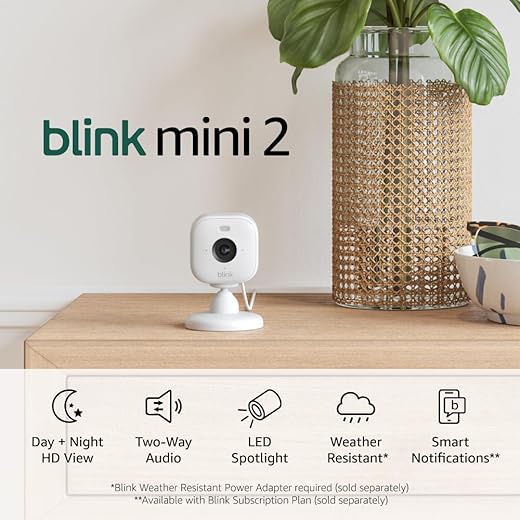
Top Rated Blink Mini 2 Home Security CameraFeatures HD video and color night visionThe Blink Mini 2 is a smart security camera that connects to your smartphone, providing HD live view and motion alerts. Ideal for both indoor and outdoor use, it enhances your home security with two-way audio and smart notifications.I may earn a commission at no cost to you. - Aqara Smart Security Camera – Offers exceptional video quality and integrates well with other Aqara products.
Understanding the features is key. Look for cameras that offer features like motion detection, night vision, and two-way audio. These functionalities add value, especially for budget-conscious users. Moreover, a smart camera’s processor plays a major role in how well it operates, so ensure that the model you choose is equipped with the latest technology.
Consider how these devices can help centralize your home’s security. You might set up cameras near windows, doors, and even around your kitchen, ensuring complete coverage. Opt for models that connect easily to your home Wi-Fi network, providing reliable gigabit connectivity that won’t lag or disconnect when you need it most.
As smart home technology evolves, solutions arrive that incorporate the latest advancements, ensuring your home’s safety. Budget doesn’t have to limit you; with smart home security, you can monitor your surroundings effectively, creating peace of mind for you and your neighbors.
In conclusion, by selecting smart security cameras that are both affordable and efficient, you can build a smart home environment that grows with your needs, all while protecting what matters most.
Implementing Smart Doorbells: What to Look For
When considering smart doorbells for your home, it’s crucial to understand what features truly matter. The ideal smart doorbell not only enhances security but also brings convenience and comfort to your daily routine. Brands like Ring and Eufy offer ultra-reliable options that are worth your investment. They turn mundane events such as package deliveries or visitors at the door into something more streamlined and, importantly, more fun.
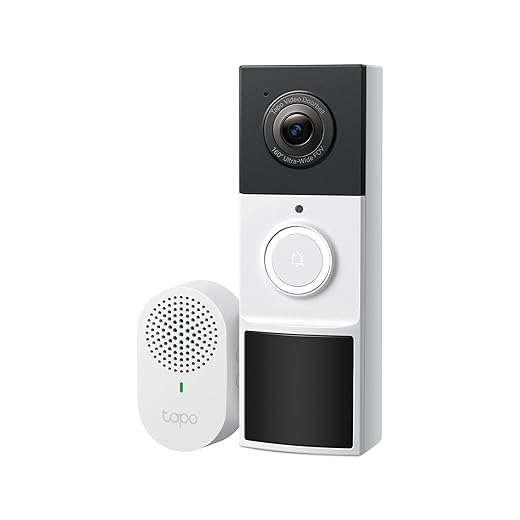
In general, the usefulness of a smart doorbell depends on your specific needs. Some may prefer models that sync well with home automation systems, while others might be more interested in their ability to send notifications directly to your digital assistant. For instance, the TP-Link Kasa Smart Doorbell is designed to integrate seamlessly with various smart home devices, making it a favorite choice among tech enthusiasts.
Don’t overlook the signal quality; a strong signal means you can easily communicate with visitors and avoid any hassle. Additionally, consider the overall design–nothing too bulky or unattractive. A sleek device blends well with your home’s aesthetic, whether it’s facing your lawn or the street. Look for features like night vision, which can be crucial for those darker evenings when you want to make sure everything is secure.
When you’re in the market for smart doorbells, read the advice from professionals and other consumers. Products such as the Eufy Security Wi-Fi Video Doorbell have been discussed widely for their affordability and features, like 2K resolution and two-way audio. You should also explore reviews on Amazon to see how these gadgets perform in real-world situations.
Ultimately, making the right choice means balancing your personal preferences and overall home automation goals. Choosing the wrong device may lead to trouble down the line with connectivity or function. With the right smart doorbell, you can easily open up a whole new world of home security and guest management, ensuring you’re always in the loop–no matter what events unfold outside your door.
Utilizing Motion Sensors to Secure Your Property
When it comes to enhancing the security of your home, motion sensors are one of the biggest advantages you can leverage today. Not only do they help in automating your home, but they can also provide an attractive ambiance by controlling lighting based on movement. With many trusted products available, such as Ring Motion Sensors and Philips Hue Motion Sensors, you can create a connected environment that makes your life easier.
Imagine walking into your home and having the lights turn on automatically, or receiving a notification on your phone whenever someone approaches your property. This is the potential of motion sensors! They integrate seamlessly with other smart home devices, like your Alexa or Google Assistant, allowing you to command them without any hassle. For instance, if you’re looking to set a particular mood in your living space, these sensors can adjust the lighting based on your current activities, whether you’re playing games on your Chromecast or unwinding after a long day.
Planning and implementing a smart home system can seem overwhelming, especially with the many options available. However, utilizing Z-Wave technology can simplify things. It allows different devices to communicate effectively over a secure network. By selecting products that work well together, like motion detectors that integrate perfectly with your existing setup, you can create a cohesive system capable of meeting your needs.
Setting up your motion sensors is often straightforward, and with the right positioning, they will cover all entry points to your property. When the sensors detect movement, they can trigger alarm systems or send alerts directly to your phone. This ensures your home is always monitored, even when you’re away. The following options from Amazon could be a great start: the Wyze Cam Outdoor and Ecobee SmartSensor for Heating and Cooling, which both open up new possibilities in home automation.
Ultimately, the key to enjoying the security benefits of motion sensors lies in proper planning and execution. By starting small, perhaps with solo sensors for key areas, you can gradually expand your system, creating a comfortable and safe environment. Embracing the future of smart home technology today will not only improve security but also enhance your overall living experience.
Integrating Smart Lighting for Enhanced Visibility
Smart lighting is a crucial component when creating a budget-friendly smart home setup, as it significantly enhances the overall visibility and atmosphere of your living space. Importantly, integrating smart lighting allows you to control your home’s illumination remotely, ensuring that you can turn on lights or adjust their brightness from anywhere. For instance, models like the GHome Smart Plug Mini can automate your existing lamps, making it easy to manage your lighting without needing to invest heavily in new products.
When choosing smart lighting solutions, connectivity is vital. Many manufacturers provide gadgets that use protocols like Z-Wave or Wi-Fi to connect your lights seamlessly. The Ring Smart Lights are a great choice, as they offer ongoing visibility for your entrance, helping you monitor who is approaching your door. This can be especially useful during those early morning coffee runs or late-night arrivals, giving you peace of mind.
While selecting smart lighting products, it’s important to avoid models that might lead to high monthly fees. Instead, focus on energy-saving options that are easy to manage. Websites like Amazon offer a wide range of smart bulbs and strips at budget-friendly prices. For example, energy-efficient white LED bulbs are available that can be connected to your smart home network in just minutes.
Using automated lighting does not just improve visibility; it also enhances the ambiance for various events, making your home feel warm and inviting. Consider integrating motion recognition features which allow lights to automatically turn on when you enter a room, managing your electronic devices effortlessly. This proactive approach not only saves energy but also enhances the convenience of your daily routines.
Finally, it’s always wise to seek expert advice when starting with smart home setups. Research guides that provide insights into the latest models and strategies for optimizing your system. With the right expertise, you’ll be well on your way to creating a reliable, integrated smart home that enhances your lifestyle and manages your energy consumption effectively.
DIY Home Security Systems: Step-by-Step Guide
Creating a DIY home security system is an important step to enhance your home’s safety without making a hefty financial investment. By understanding the basics, you can design an efficient system that includes various devices, such as cameras, motion sensors, and alarms. One of the best parts is that many of these devices can easily integrate into a smart home ecosystem, ensuring compatibility and interoperability.
Start by deciding on the components you wish to include in your setup. Devices like the Wyze Cam v3, which has great ratings for surveillance, or smart doorbells like the Ring Video Doorbell, are excellent starting points. These products also command attention due to their user-friendly interfaces and comfortable installations. You can find these on platforms such as Amazon, where consumer reviews will help you check their effectiveness before investing.
When selecting devices, consider models that utilize Z-Wave technology. This protocol permits better connections and allows multiple devices to communicate efficiently over the network. For example, a Z-Wave hub can control various devices, ensuring smooth operation whenever you’re home or away. With options like the Aeotec Z-Wave Hub, you are likely to experience seamless connectivity within your smart home setup.
Gradually build your system by adding upgraded versions of devices. For instance, if you start with basic motion sensors, look to higher-end models later. Don’t forget to regularly check for firmware updates–keeping your devices running smoothly is vital. Some important settings may require adjustment as you integrate new devices into your security system. Just remember to seek a balance between functionality and ease of use.
Whenever considering budget-friendly options, don’t overlook disposable cameras or devices that can provide temporary solutions until you can invest in more robust systems. Friday sales often feature great deals on home security products, so keep an eye on discounts. Products like smart speakers can also be integrated for voice commands, making it easier to control your entire setup.
In conclusion, creating a DIY home security system is both challenging and rewarding. By investing in quality devices that offer interoperability and considering important factors like ratings, you can turn your home into a safe haven. With the right planning and execution, you’ll soon enjoy the peace of mind that comes with a well-designed security setup.
Questions and answers:
What are some budget-friendly devices I can incorporate into my smart home setup?
There are several cost-effective devices that can enhance your smart home experience without breaking the bank. Consider smart bulbs, which allow you to control lighting through apps or voice commands and usually cost less than $15 each. Smart plugs are another affordable option, enabling you to control traditional appliances remotely for around $10. Budget-friendly smart speakers, like the Amazon Echo Dot or Google Nest Mini, offer voice control functionalities and can be found for $50 or less. Lastly, smart security cameras, such as the Wyze Cam, are available at a low price and provide efficient home monitoring. By strategically selecting these devices, you can build a functional smart home without a hefty investment.
How can I set up a smart home system without prior technical knowledge?
Setting up a smart home system can be straightforward, even for those without a technical background. Start by choosing devices compatible with your existing smart home ecosystem, such as Amazon Alexa or Google Assistant. Most devices come with user-friendly apps that guide you through installation. Begin with a smart speaker to serve as a control hub, then gradually add devices like smart lights or plugs. Follow the instructions provided in the app to link them to your Wi-Fi network. Watching tutorial videos can also provide visual guidance. Troubleshooting common issues is often as easy as resetting the device or checking the network connection, making the process accessible for anyone.
What are the benefits of having a smart home setup on a budget?
Creating a smart home on a budget offers multiple advantages. First, it promotes convenience by allowing you to control various devices from your smartphone or via voice commands, making everyday tasks easier. Second, budget smart home devices can enhance energy efficiency, leading to lower utility bills over time. For example, smart thermostats optimize heating and cooling based on your schedule. Additionally, investing in security cameras or smart locks can improve home safety without overspending. Finally, a budget-friendly approach allows you to experiment with different devices, letting you find what works best for your lifestyle without a significant financial commitment.
Can I integrate old home devices into my new smart home system?
Yes, many older devices can be integrated into a smart home system with the right technology. For instance, you can use smart plugs to control non-smart devices, allowing you to turn them on or off remotely. Additionally, there are universal remotes or hubs that can connect older appliances to your smart home network. Some devices may require additional adapters or specific configurations, which are often outlined in the product documentation. This approach can help you save money by utilizing existing devices rather than replacing them entirely.
What steps should I take to ensure my smart home devices are secure?
Securing your smart home devices is crucial to protect against unauthorized access. Start by changing default passwords to strong, unique ones for each device. Ensure that your Wi-Fi network is secured with WPA3 encryption if available. Regularly update device firmware to patch any security vulnerabilities. It’s advisable to create a separate Wi-Fi network specifically for smart devices to limit access to your main network. Additionally, be cautious when using third-party applications to control your devices, and only use trusted sources for device purchases. Regularly review the permissions granted to apps and devices to maintain a secure smart home environment.


