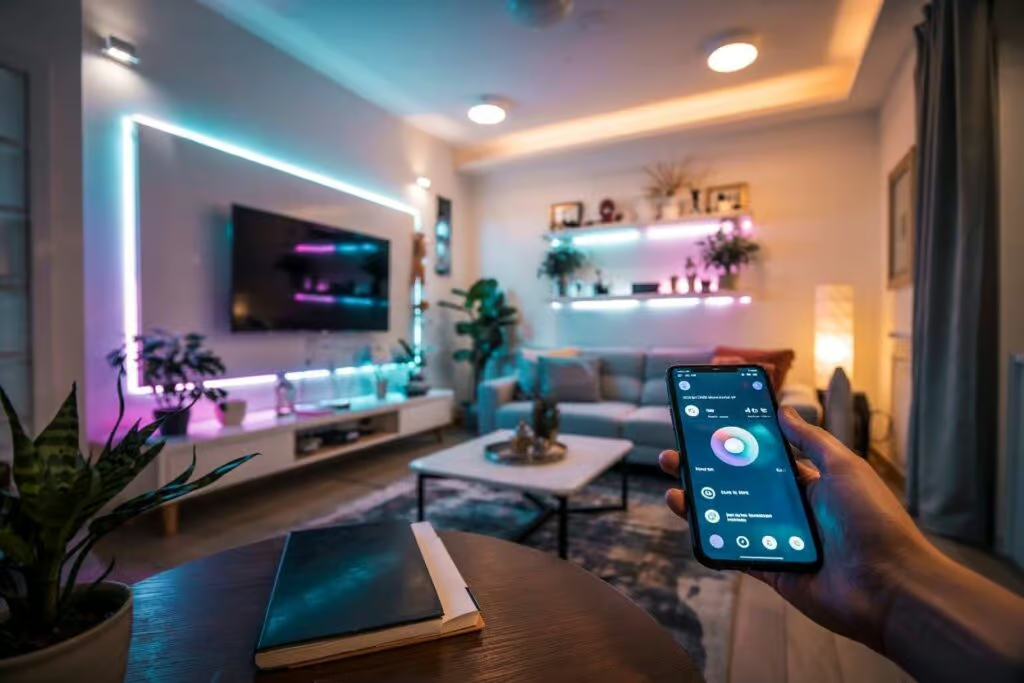




Smart Light Bulbs Compatible with Alexa are an essential part of any modern smart home, combining intelligent lighting technology with hands-free voice control and seamless automation. These smart bulbs allow you to turn lights on and off, adjust brightness, change color temperature, or switch between millions of colors using simple Alexa voice commands or a mobile app. Designed for convenience and energy efficiency, Alexa-compatible smart light bulbs help create personalized lighting scenes for work, relaxation, or entertainment while reducing electricity consumption. By choosing smart light bulbs that work with Alexa, you can easily enhance comfort, improve home ambiance, and take full control of your lighting system without complex installations.
- Use Philips Hue and other Alexa-compatible bulbs for seamless color, brightness, and scene control via the Alexa app and voice commands.
- Choose LED, Wi-Fi, or Zigbee bulbs depending on hubs and network needs; LIFX often needs no hub for simpler setups.
- Name and group bulbs in the app to control multiple lights at once and create routines for schedules and moods.
- Troubleshoot by ensuring same Wi-Fi network, updating firmware, rebooting devices, and checking for interference or hub requirements.

To elevate the ambience of your house, consider integrating modern lamps that can be effortlessly controlled through your smart speaker. This option not only provides convenience but also ensures that you can preset schedules for different atmospheres, whether it’s a bright daylight setting or a cozy night vibe. In just a 5-second click, you can adjust or turn off your fixtures, offering a level of customization that traditional lighting simply doesn’t provide.
With the growth of interconnected ecosystems, adding these intelligent devices gives you the power to fine-tune every aspect of your home’s lighting. For instance, using examples from Amazon’s product line, you can name each lamp, making it easy to control them individually or as a group. The microphone feature enables hands-free operation, allowing you to change the brightness or color with simple voice commands, ensuring that your environment meets your preferences effortlessly.
In addition, these upgrades encourage greener living by optimizing energy use in your home. By adjusting schedules and utilizing the free capabilities of voice assistants, you can minimize waste and reduce your electric bill. Embracing this technology not only enhances your comfort but also signifies a step toward sustainable living in every room of your house.
Integration of Smart Lighting with Alexa
For optimal performance, consider the Philips Hue White and Color Ambiance bulbs. Their versatility allows seamless connecting to your Alexa system. Simply enable the Hue skill in the Alexa app, and you’ll be set up in no time, providing control over your lighting, from warm to cool tones, enhancing your evenings and party experiences.

Philips Hue A19 LED Smart Light Bulb - White and Color Ambiance - 60W Indoor Light Bulb - Control with Hue App - Works with Alexa, Google Assistant and Apple...
You’d appreciate the ability to change names and control multiple bulbs at once. The built-in microphone on your Alexa device allows voice commands to activate your bulbs. Just say, “Alexa, turn on the living room lights,” and voilà! The marriage between these technologies means that reading at night can be tailored by dimming the bulbs to a comfortable glow.
Consider investing in matter-certified options like the Nanoleaf Essentials. They boast not only connectivity but also energy efficiency. By using a green design, these lights are designed to save energy while providing a vibrant atmosphere. That’s a win-win, especially if you’re adjusting settings for different moods or changing environments.
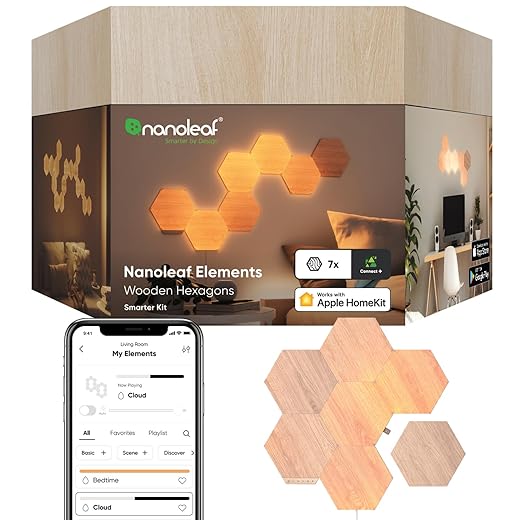
nanoleaf NL527005HB7P Elements Wood Look Smarter Kit (7 Panels)
Nowadays, it doesn’t stop at conventional lighting. Smart options are growing in popularity, enabling home automation in a way that feels right for most lifestyles. Whether it’s a cozy movie night or an energetic party, connecting your lighting to Alexa simply transforms the ambient experience and brings fun to illumination.
Types of Smart Light Bulbs Compatible with Alexa
For optimal performance and convenience, consider LED lamps when selecting bulbs to use with your Echo device. These modern bulbs offer various features, transforming any space into a smart environment. Popular options include Philips Hue White and Color Ambiance, known for their seamless integration and colorful customization.
Consider the installation process as part of your setup. Many brands like Wyze and Sengled offer plug-and-play options, making installation handy and quick. With their user-friendly apps, these bulbs allow easy control through voice commands, ensuring accessibility for all users. Simply say, “Turn on the lamps,” and your desired lighting is established without any hassle.

Wyze Bulb Color, 1100 Lumen WiFi RGB and Tunable White A19 Smart Bulb, Works with Alexa and Google Assistant, Four-Pack
Another element to think about is ecosystems. Some bulbs work better with specific hubs or platforms. For instance, LIFX bulbs do not require an additional hub, simplifying the setup to just your Wi-Fi. This optional feature is perfect for those who prefer a minimalist approach while still enjoying the benefits of smart technology.
Don’t forget to explore eco-friendly options as well. Brands like GE Encourage offer energy-efficient models that are great for reducing your carbon footprint. These green lamps provide not only practical benefits but also contribute to a sustainable lifestyle.

Cync GE A19 Direct Connect LED Light Bulb, Color Changing Smart Light, Matter Compatible, Compatible with Alexa and Google Home (2-Pack)
In summary, when selecting compatible bulbs for your Echo, focus on LED options from trusted brands. Whether through colorful ambiance or energy efficiency, these lights offer the best in technology for your smart home’s needs. Happy lighting!
Setting Up Your Smart Bulb with Alexa
To start using your new product, first ensure you have a compatible device, like an Amazon Echo, which allows for easy access to a variety of features. Use your smartphone to download the respective app necessary for setup, then follow the instructions created by the manufacturer. This step often involves connecting the bulb to your home Wi-Fi network, ensuring it syncs properly.
Next, once setup is complete, you can choose a warm or bright light setting according to your preferences. It’s important to give your bulb a name that aligns with its location, such as “Living Room Light.” This will streamline your commands when interacting with Alexa. Simply say, “Alexa, turn on Living Room Light,” for seamless control.

Kasa Smart Light Bulbs, Full Color Changing Dimmable Smart WiFi Bulbs Compatible with Alexa and Google Home, A19, 9W 800 Lumens,2.4Ghz only, No Hub Required,...
Your smart bulb brings comfort and convenience, allowing you to schedule times for it to turn on or off. This option has grown popular as it adds value to your living space. Plus, with integrated voice control through Echo speakers, you can manage multiple devices down to individual preferences, adjusting the ambiance based on your mood.
For a more immersive experience, use voice commands such as, “Alexa, dim the Living Room Light to 50%,” or “Alexa, set the Kitchen Light to blue.” This creates an environment tailored to your desired atmosphere without needing to fumble for switches. Remember, proper setup ensures you can fully enjoy what smart lighting has to offer.
Communication Protocols Used
To ensure versatile connectivity in your homes, various communication protocols are leveraged for seamless interaction between your fixtures and Alexa. These protocols allow users to control their energy-efficient lighting systems remotely, using their smartphones.
Among the most common protocols, Wi-Fi and Zigbee stand out. Wi-Fi-enabled devices provide a direct connection to your home network, making them compatible with most routers. Brands like Philips Hue and LIFX offer high-quality options that utilize this technology. For example, the Philips Hue White and Color Ambiance can be easily integrated through your Amazon Alexa device.
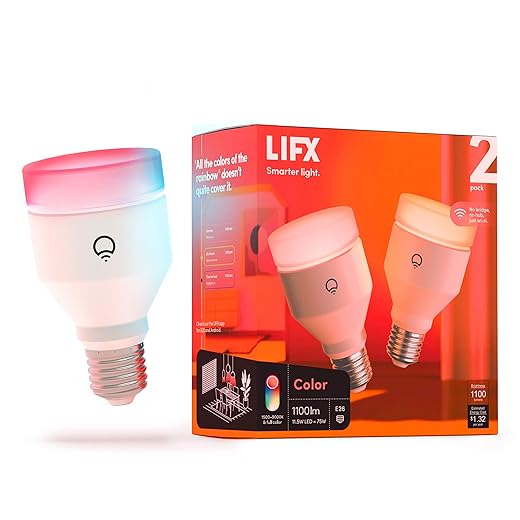
LIFX Color, A19 1100 lumens, Wi-Fi Smart LED Light Bulb, Billions of Colors and Whites, No Bridge Required, Compatible with Alexa, Hey Google, HomeKit and...
Zigbee, on the other hand, is designed for smart ecosystems, creating a stable network that connects multiple devices. If you have a large number of smart fixtures, a Zigbee hub can help maintain connection stability. The Sengled Smart LED Bulb is an equivalent product available on Amazon that supports Zigbee connectivity.

Sengled Smart Bulb, 100W Equivalent WiFi Color Changing Light Bulb, 1500LM Extra Bright Smart Light Bulb That Work with Alexa Google, Dimmable A19 Multicolor...
The communication happens through specific codes sent from the Alexa device, which receives instructions from your voice commands. This process enables the bulbs to respond immediately, adjusting brightness, color, and more, measured in lumens, providing natural light options that suit your preference.
Choosing green options is essential for a smarter home. Energy-efficient models like the TP-Link Kasa Smart Bulb not only reduce your electricity bill but also contribute to a more sustainable environment. With the right setup, you can create a cozy atmosphere tailored to your needs.
When considering purchasing an energy-efficient bulb, check compatibility with Alexa. Most brands offer clear instructions on how to set them up, ensuring a hassle-free experience. Remember to explore user reviews on Amazon to find the best fit for your lighting needs!
Common Troubleshooting Tips for Connectivity Issues
If your energy-efficient fixtures aren’t responsive, ensure that both the bulbs and the assistant are on the same Wi-Fi network. Regularly check the settings of your preferred ecosystem, as any changes can affect connectivity. If you’re using Philips multi-color options, sometimes switching to a white illumination can help wake the bulbs for better interaction.
At times, the simplest solutions are the most effective. For example, resetting your device or switching it off and on can resolve many issues. Make sure to embrace firmware updates, as they can enhance performance and connectivity stability. If problems persist, consider using a Wi-Fi extender, especially in larger spaces where signals may struggle to reach certain fixtures.
Additionally, look for interferences from other devices around your home. Items that use the same frequency, like microwaves, can disrupt connection. Keeping these potential disruptors in mind will help maintain a stable link between your bulbs and the assistant. If you still encounter issues, visiting product pages on Amazon, such as the Philips Hue White and Color Ambiance A19 or the Philips Hue Go, can provide insights and solutions shared by users experiencing similar challenges.
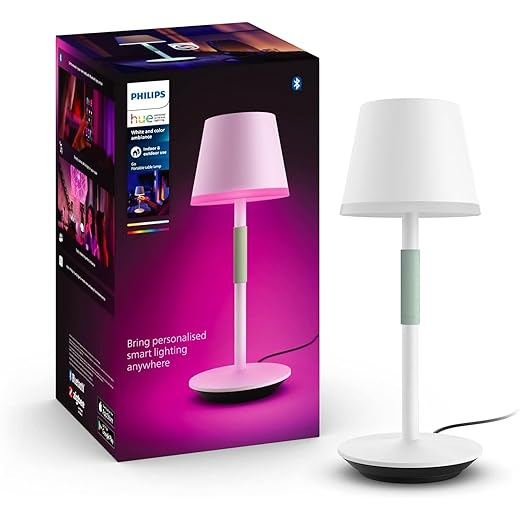
Philips Hue Go Smart Portable Table Lamp, White - White and Color Ambiance LED Color-Changing Light - 1 Pack - Indoor and Outdoor Use - Control with Hue App...
Optimizing Your Smart Lighting Experience
To enhance your home lighting setup, consider using versatile devices like the Philips Hue White and Color Ambiance A19 bulbs. These energy-efficient options allow you to create the perfect ambiance with adjustable lumens in seconds. With easy integration into your existing smart ecosystem, you’ll be able to access numerous settings for every room.
Group your bulbs in the app to manage them efficiently. For example, you can create a ‘grouproom’ setting that includes all lights in your living space. This brings a cohesive feel when entertaining guests or relaxing after a long day. A single command or tap on the app icon can change the mood instantly.
Using the microphone feature of compatible speakers, like the Amazon Echo, lets you control your lighting hands-free. You can wake your devices with simple voice commands and adjust the settings without moving an inch. This makes it easy to search for the perfect lighting solution for any occasion.
When you choose default white settings for daytime activities, you save energy and create a refreshing atmosphere. Alternatively, explore colorful lighting options for festivities or movie nights. The click of a button elevates the experience, showing just how adaptable your lighting can be.
Utilizing these features ensures that you make the most of your devices. Whether you’re hosting a gathering, enjoying a quiet evening, or looking to wake up energized, optimizing your lighting setup can mean all the difference in creating the right environment.
Smart Light Bulbs Compatible with Alexa – Comparison by Connection Type
🔵 Wi-Fi (No Hub Required)
| Product | Connection Type | Hub Required | Key Features |
|---|---|---|---|
| LIFX Smart Bulbs | Wi-Fi | No | Vivid colors, high brightness, direct Alexa control |
| TP-Link Kasa Smart Wi-Fi LED Bulb | Wi-Fi | No | Energy-efficient, app + Alexa control, easy setup |
| Wyze Smart Bulb | Wi-Fi | No | Budget-friendly, voice control, scheduling |
| GE Cync Smart Bulbs | Wi-Fi | No | Energy-saving LED, Alexa compatible, no hub |
🟣 Zigbee (Hub Required)
| Product | Connection Type | Hub Required | Key Features |
|---|---|---|---|
| Philips Hue White and Color Ambiance A19 | Zigbee | Yes (Hue Bridge) | Full RGB colors, scenes, extremely stable |
| Sengled Smart LED Multicolor Bulb | Zigbee | Yes | Reliable mesh network, Alexa voice control |
🟢 Matter / Thread (Next-Gen Standard)
| Product | Connection Type | Hub Required | Key Features |
|---|---|---|---|
| Nanoleaf Essentials | Matter / Thread | Yes* | Cross-platform support, energy-efficient, modern ecosystem |
* Matter bulbs usually require a Matter-compatible controller (Echo, hub, or smart speaker).
Q&A:
How do smart light bulbs connect to Alexa?
Smart light bulbs typically connect to Alexa through Wi-Fi or a hub. First, you’ll need to install the smart bulb in a fixture and power it on. Then, follow the manufacturer’s instructions to connect the bulb to your home Wi-Fi network. Once the bulb is connected, open the Alexa app on your smartphone. Enable the appropriate skill for your bulb brand, and then link your account. After that, you can discover devices in the Alexa app, and your smart light bulb should appear, allowing you to control it with voice commands.
Can I use multiple smart light bulbs with Alexa?
Yes, you can use multiple smart light bulbs with Alexa. You can add as many smart bulbs as your network can handle, provided they are compatible with the Alexa system. Each bulb can be controlled individually or grouped together for easier management. To group them, simply create a new group in the Alexa app, select the bulbs you want to include, and you can control all of them with a single command such as “turn off the living room lights.”
What features do I get with smart light bulbs that work with Alexa?
Smart light bulbs that work with Alexa offer a variety of features, such as voice control, dimming capabilities, and scheduling. You can turn the lights on or off, adjust brightness, or change colors using your voice. Many smart bulbs also allow you to set routines, such as having the lights automatically turn on at sunset or turn off when you leave home. Some products may even offer integration with other smart home devices, allowing for coordinated actions across your smart ecosystem.
Are there any specific brands of smart light bulbs that work best with Alexa?
Several brands are known for their compatibility with Alexa, including Philips Hue, LIFX, and Wyze. Philips Hue is highly regarded for its range of smart lighting solutions and robust app features, while LIFX boasts vivid colors without needing a hub. Wyze is a budget-friendly option that offers reliable performance. Each brand has its own unique features, so you may want to consider your specific needs, such as color options and control methods, before making a purchase.
What should I do if Alexa doesn’t recognize my smart light bulb?
If Alexa doesn’t recognize your smart light bulb, first check if the bulb is powered on and properly connected to your Wi-Fi network. Ensure the Alexa skill for the bulb brand is enabled, and verify that your account is linked correctly in the Alexa app. You can also try restarting both the bulb and your Alexa device. If the issue persists, consider re-running the device discovery process in the Alexa app. If all else fails, consulting the bulb’s support page or the manufacturer’s customer service may provide additional troubleshooting steps.