




Understanding Smart Doorbell Technology is the first step toward improving your home security and convenience in a connected world. Smart doorbells combine HD video, motion detection, two-way audio, and mobile alerts to let you see and communicate with visitors from anywhere. By Understanding Smart Doorbell Technology, you can choose the right features for your needs, enhance safety, and create a smarter, more responsive home entrance system.
- PIR motion sensors wake the device and trigger local analysis to reduce false alerts and enable near-instant response.
- Video and audio compress, encrypt, and stream over Wi‑Fi to cloud servers, sending contextual push notifications to your phone.
- Two‑way audio through the app lets you speak with visitors; noise cancellation and full‑duplex improve clarity in noisy environments.
- Power choice matters: wired gives continuous features and reliability, battery offers flexible placement but requires periodic recharging.

Install a device like the Ring Video Doorbell Pro 2 or the eufy Security Video Doorbell Dual to fundamentally change your home’s perimeter. At its core, this gadget is a sophisticated security sensor package. A passive infrared (PIR) motion detector constantly scans a defined zone. When it senses heat and movement–a person approaching, not just a swaying branch–it triggers the high-definition camera to begin recording. This initial detection is the critical first step, happening locally on the device itself for near-instantaneous response.


The recorded video and audio data is then compressed and transmitted via your home’s wi-fi network to a secure cloud server. This wireless link is the essential artery; a weak signal here causes delays or failures. Simultaneously, the system sends an alert to your smartphone. This notification, often with a snapshot preview, appears through a dedicated app like the Ring or Google Home application. You can configure these alerts to be silent or to trigger a digital chime on existing Amazon Echo or Google Nest speakers, replacing the traditional mechanical bell.
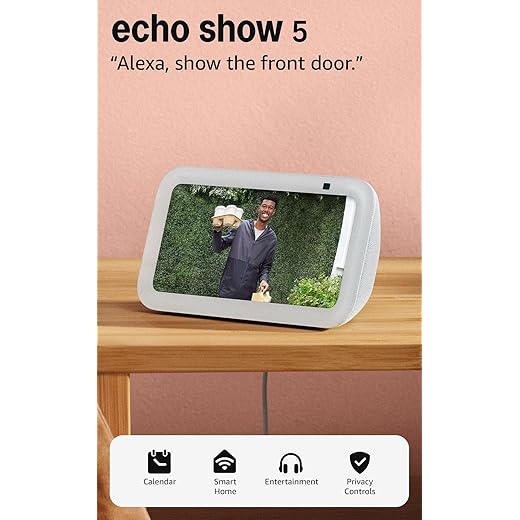

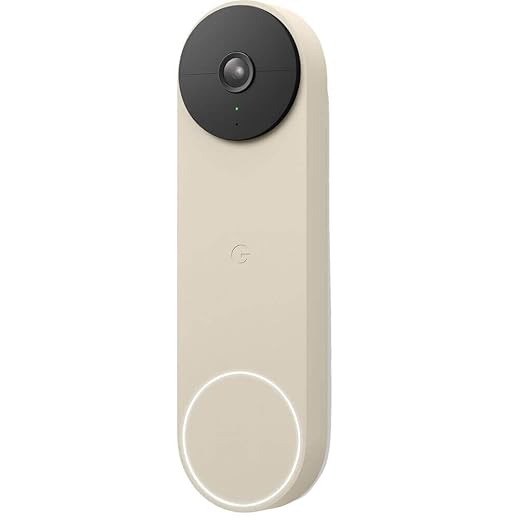
Upon receiving the alert, open the companion app to view the live stream. Here, the two-way audio system engages. Your voice is transmitted from your phone through the internet to the device’s built-in speaker, allowing for clear conversation. For example, with a Google Nest Doorbell (battery), you can instruct a delivery driver without being physically present. The entire process–from motion detection to live viewing–typically occurs within 2-3 seconds on a robust network, making remote interaction seamless and practical for modern living in 2026.
Core Components and How They Connect
Understand your video door entry system by examining its five essential parts and their communication flow.
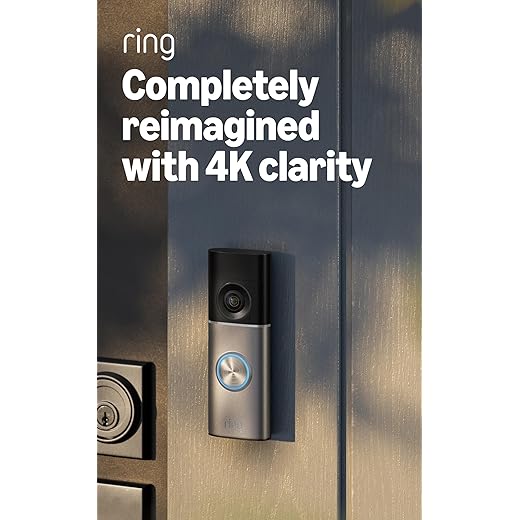
- Primary Sensor and Lens Unit: This is the main outdoor module. It houses a high-definition camera (often 1080p to 4K) and a passive infrared (PIR) motion sensor. The Ring Video Doorbell Pro 2, for instance, uses advanced radar for precise motion zones.
- Internal Audio Alerts: The indoor chime module plugs into a wall socket and connects to your home’s wiring or pairs wirelessly. It physically rings when the button is pressed, ensuring you never miss a visitor.
- Central Control Hub: Your smartphone is the command center. A dedicated manufacturer’s app (like the Google Home or Blink app) receives all notifications and provides the live video feed.
- Data Bridge: A Wi-Fi router is the critical link. It connects the outdoor unit to both the internet and your home network, enabling real-time video streaming and two-way audio.
- Audio Components: A built-in microphone and speaker enable full-duplex conversation. The Arlo Essential Wired Video Doorbell features noise-cancellation for clear talk, even on a busy street.

Here is the typical connection sequence when an event occurs:
- The PIR motion sensor detects heat movement or the visitor presses the button.
- The unit’s processor activates the camera and captures a video clip.
- This data packet is encrypted and transmitted via your home’s Wi-Fi network to the cloud servers.
- The cloud server sends a push notification to your phone’s app and, if configured, a signal to the indoor chime.
- You tap the notification, open the app, and initiate a live view. Your voice is sent back through the same path to the unit’s speaker.
For optimal performance, ensure your router is within 6 meters of the device or use a mesh network extender like the TP-Link Deco for stronger signal strength. A weak Wi-Fi connection is the leading cause of delayed notifications and failed live streams.
The Camera and Sensor Suite: More Than Just a Lens
Prioritize a device with a wide field of view, like the Eufy Video Doorbell Dual’s 180-degree dual-lens system, to eliminate blind spots directly at your doorstep.
Modern video entry systems integrate a sophisticated sensor array. The primary image sensor now often supports 1536p or 4K resolution with HDR to balance detail in shadows and highlights. A passive infrared (PIR) motion detector is standard, but leading models like the Google Nest Doorbell combine PIR with pixel-based analysis to distinguish between a passing car and a walking person, drastically reducing false alerts.
This sensor fusion directly dictates the quality of the push notification you receive. A basic alert simply says “motion detected.” An advanced system, using its contextual awareness, sends a precise notification: “A person is at the front door.”
The audio components are equally critical. A high-quality microphone with noise cancellation captures clear speech, while a built-in speaker allows for two-way talk directly from your companion app. For immediate indoor alerts, the electronic chime module connects to your home’s existing wiring or plugs into an outlet, ensuring you never miss a visitor if your phone is silent.
All this data streams via your home Wi-Fi network. For reliable 24/7 performance, ensure your router provides a strong signal at your entry point. The processing unit within the device handles on-the-fly analysis, compressing video for efficient transmission and enabling features like package detection by recognizing shapes left in a defined zone.
Processing the Signal: From Raw Data to Smart Alert
Once the camera and motion sensor capture raw data, the internal processor immediately begins analysis. This chip, like those in the Ring Video Doorbell Pro or the eufy Security Video Doorbell, runs algorithms to distinguish between a passing car and a person approaching. It filters out irrelevant movement, such as swaying trees, to prevent unnecessary notification fatigue.
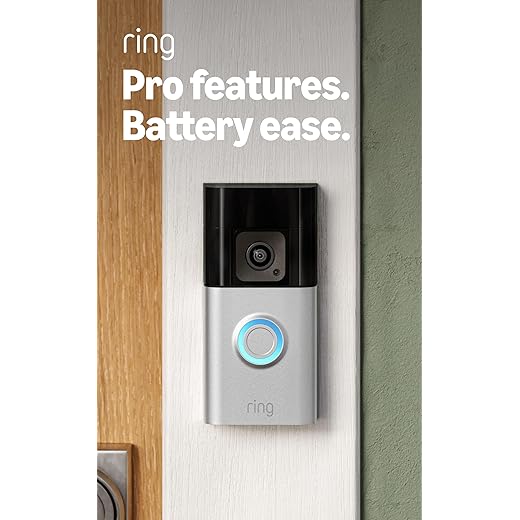
The system then packages relevant data. For a visitor, it triggers a live video stream and activates the two-way audio, linking the built-in microphone and speaker. This compressed data packet is encrypted and transmitted via your home’s wi-fi network to the cloud. Advanced models, such as the Google Nest Doorbell, perform initial person detection locally on the device itself for near-instant analysis.
In the cloud, more powerful servers apply final intelligence. They can recognize familiar faces, analyze voice commands from the microphone, or confirm a delivery package. Only then does your mobile app receive a context-aware alert, like “Front Door: A person is detected” instead of a generic motion warning. Configure activity zones in your app to specify which sensor triggers warrant an immediate push notification to your phone.
Power Options: Wired vs. Battery and What It Means for You
Choose a hardwired unit like the Ring Video Doorbell Pro for continuous power and advanced features; opt for a battery-powered model like the Blink Video Doorbell for simple, tool-free installation.

A wired connection, using your existing doorbell’s low-voltage wiring, provides constant electricity. This enables 24/7 pre-roll video recording, consistent operation in extreme temperatures, and eliminates the chore of recharging. Your indoor chime will typically ring without extra hardware.
Battery-operated units offer ultimate placement freedom, ideal for apartments or homes without existing wiring. They rely on efficient motion sensor activation to conserve power. Expect to recharge every 3-6 months, though heavy traffic or cold weather will drain the battery faster. The Eufy Security Video Doorbell (Battery) is notable for its local storage, reducing Wi-Fi data usage.
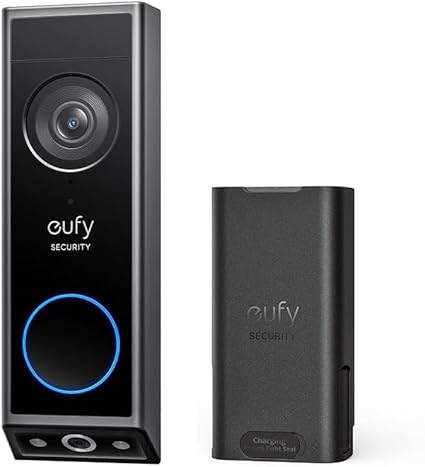
Your power source directly impacts performance. Continuous power allows the camera and microphone to stream without restriction, leading to richer data for smarter notification filtering. Battery models often have a slight wake-up delay. Always check your app for detailed battery status and scheduling options to disable alerts during known quiet periods.
Hybrid models, such as the Nest Doorbell (battery), can be connected to wires for permanent charging while retaining wireless installation benefits. This is the optimal solution for ensuring your video entryway device never goes offline during critical events.
Connecting to Your Home: Wi-Fi, Chime, and Hubs
Place your video entry device within strong Wi-Fi range; use a mesh extender like the TP-Link Deco if your router signal is weak at the front door. A stable 2.4 GHz band is essential for constant connectivity, while 5 GHz can boost live video stream quality if the signal is strong.

Your chime configuration defines the in-home alert experience. You have three core setups:
- Digital Chime Integration: Wired models like the Ring Video Doorbell Pro connect to existing mechanical or digital chimes, triggering them directly.
- Plug-in Chime Hub: Battery-powered units often include a separate plug-in chime (e.g., the Arlo Chime) that links via Wi-Fi, providing a loud, customizable alarm in any room.
- Multi-Hub Ecosystem: For homes using Apple HomeKit, Amazon Alexa, or Google Home, the device connects to a central hub like an Apple TV or Echo Show. This allows announcements on all compatible speakers and displays.

Optimize your motion sensor zones precisely through the companion app to avoid false notifications from passing cars. Set activity schedules to disable alerts during known high-traffic times.
In the app, customize which events trigger an immediate push notification to your phone. For example, set the camera to alert only for people, not all motion, and configure the microphone and speaker for clear, two-way talk without delay. Products like the Eufy Video Doorbell S330 excel with local AI processing on its home base hub, reducing cloud dependence and speeding up notification time.

What Happens When Someone Presses the Button or Walks By
Immediately configure your device’s app, like the one for the Eufy Video Doorbell Dual, to distinguish between a button press and a motion event. This prevents alert fatigue.
A visitor’s press activates the digital chime inside your unit and, if set up, triggers a distinct ring on your internal home chime kit. Simultaneously, the camera begins recording, and the two-way audio system engages–your built-in microphone picks up their voice, and your speaker projects your reply.
For motion detection, a passive infrared (PIR) sensor detects body heat and movement, initiating a recording sequence. Advanced models, such as the Ring Video Doorbell Pro 2, use radar to map movement zones, reducing false alerts from passing cars.
Your phone receives a tailored push notification within one second. For a button press, the alert will say “Visitor at the door.” For motion, it might specify “Motion at the front porch.” You can then tap the notification to launch a live view in the app.
Adjust motion sensitivity and zones in the app to ignore small animals or specific areas. For battery-powered units like the Arlo Essential Wireless Doorbell, frequent motion events drain power faster, so fine-tuning is crucial for battery longevity.
Motion Detection Triggers: PIR vs. Pixel-Based Analysis
Choose a PIR (Passive Infrared) sensor for reliable, battery-friendly alerts that ignore shadows and light changes. Opt for pixel-based analysis for precise activity zones and superior object recognition, like distinguishing a person from a car, though it demands constant power and a strong wi-fi connection.
PIR sensors detect heat signatures from moving objects, like a warm body approaching your entryway. This method minimizes false alarms from headlights or swaying branches. Battery-powered units like the Eufy Security Video Doorbell leverage PIR for months of operation. The downside is a broad detection zone; you cannot specify that only motion on the porch triggers the camera and chime.
Pixel-based analysis, used by wired devices like the Google Nest Doorbell, scans the video feed for changes in pixel clusters. Your companion app allows you to draw exact activity zones. This system can use on-device AI to classify motion, sending specific alerts: “Person at the front door” versus “Vehicle in driveway.” It requires continuous power and processes more data, placing higher demands on your wi-fi network and the device’s processor.
| Feature | PIR Sensor | Pixel-Based Analysis |
|---|---|---|
| Primary Mechanism | Detects infrared heat from movement | Analyzes changes in the video feed’s pixels |
| Power Efficiency | Excellent for battery life | Poor; requires wired or frequent charging |
| False Alarm Resistance | High for non-living things | Lower, but improved by AI classification |
| Customization | Limited sensitivity adjustment | Precise activity zones in the app |
| Object Recognition | Basic motion only | Advanced (Person, Package, Animal) |
| Example Product | Ring Video Doorbell 4 | Arlo Essential Wired Video Doorbell |
For optimal performance in 2026, high-end units combine both technologies. The PIR sensor wakes the system efficiently, then pixel-analysis with AI refines the alert. Ensure your wi-fi router can handle the data burst when the camera and microphone activate for a live view. Configure notification rules in the app: use PIR-triggered events for a simple chime inside, but set pixel-based “person” detections to send a priority alert to your phone.
Question-Answer:
What are the main parts inside a smart doorbell?
A smart doorbell has several key components. The most visible is the camera, which captures video. A motion sensor, often a PIR (Passive Infrared) sensor, detects movement near your door. A microphone and speaker allow for two-way audio communication. Internally, a processing chip handles the video and connects the device. It requires power, which comes either from wired connections to your existing doorbell system or from a rechargeable battery. Finally, it contains a Wi-Fi module to send all the data to your home network and your smartphone app.
Can I install a smart doorbell if my house doesn’t have old doorbell wiring?
Yes, you can. Many models are designed specifically for this situation and run on internal batteries. You’ll need to charge the battery every few months, depending on usage. The installation involves mounting the doorbell bracket to your wall, often with just screws, and then attaching the unit. Since there are no wires, placement is very flexible. The only requirement is that the location must be within range of your home’s Wi-Fi signal for the doorbell to function properly.
How does the video from my doorbell get to my phone when I’m not home?
When motion is detected or the button is pressed, the doorbell’s camera records a short clip. This video data is sent through your home Wi-Fi router to the internet. It travels to a remote server, often called “the cloud,” operated by the doorbell’s manufacturer. The server then sends a notification to the app on your smartphone over your mobile data or any other internet connection. When you open the notification, the app retrieves the video from the cloud server, allowing you to see it live or view the recorded clip from anywhere.
Are there monthly fees for using a smart doorbell?
Using basic features like live viewing, two-way talk, and receiving motion alerts is typically free. However, if you want to save and review recorded video from past events, most brands require a subscription plan. These plans store your video history in the cloud for a set number of days. Costs vary but are often a few dollars per month per camera. Some brands offer local storage via a microSD card or a home hub as an alternative to a monthly fee, but cloud subscriptions are the most common method for video history.
What happens if someone steals the smart doorbell from my door?
Manufacturers know this is a risk. First, the device is usually mounted with special security screws that require a unique tool to remove, making a quick theft harder. Second, and more significantly, the moment the doorbell is disconnected or tampered with, it will typically send a final alert to your phone. Since all video is stored in the cloud, the thief cannot access the recorded footage. That footage, including a recording of the theft itself, can be provided to law enforcement. Many companies also offer theft replacement guarantees if you are subscribed to their service plan.


