
Smart camera connectivity is a critical factor in how modern security systems function, store footage, and deliver real-time alerts. Most smart cameras rely on a stable internet connection to enable features like live streaming, motion notifications, cloud storage, and remote access. Understanding whether Wi-Fi is required—and what happens when it isn’t—helps you choose the right camera for your security needs.
- Smart cameras can operate fully offline using local microSD storage, preserving footage on-site without needing WiFi.
- Cellular (4G/5G) models provide remote live view and alerts without home WiFi, ideal for remote or temporary sites.
- Wired Ethernet and NVRs offer the most stable, high-bandwidth solution for continuous professional-grade recording.
- Offline features include onboard motion detection, sirens, PIR sensors, and direct Bluetooth device-to-phone connections.
- Hybrid setups combine local storage with cellular or wired backbones to balance autonomy, real-time alerts, and resilience.
In this guide, we explore whether Wi-Fi is required for smart camera security and functionality, how different connectivity options work, and which features depend on an active internet connection. From cloud-based home cameras to local-storage and cellular models, this overview clarifies what level of connectivity you truly need for reliable surveillance.

Forget the assumption that constant internet access is mandatory. Many contemporary monitoring units operate fully independently, storing footage locally on microSD cards like the Reolink Argus 3 Pro. This approach eliminates a critical vulnerability: without a persistent wireless link to the outside world, the device is inherently safer from remote intrusion. Your data remains physically on-site, a fundamental security advantage for those prioritizing privacy over remote viewing.
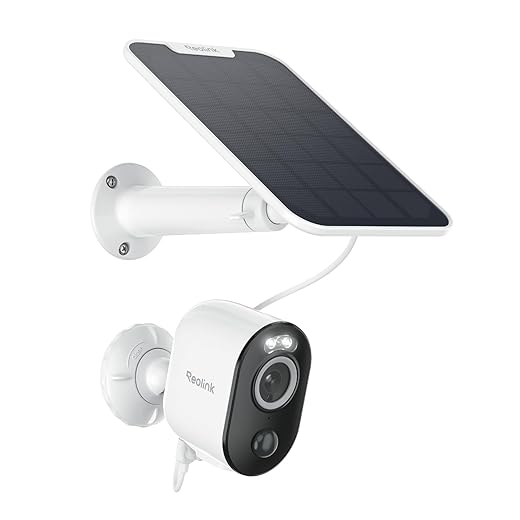
REOLINK Security Cameras Outdoor Wireless WiFi, Argus 3 Pro+Solar Panel with 5MP Color Night Vision, 2.4G/5Ghz WiFi, Non-Stop Solar Powered, Human/Vehicle...
However, for real-time alerts and live viewing from anywhere, integrating into a network becomes essential. This doesn’t solely mean traditional Wi-Fi. Units such as the Arlo Go 2 utilize built-in LTE cellular modems, creating a completely separate, resilient connectivity path. This is crucial for construction sites or rural properties where conventional internet is unreliable. The primary function of instant notification remains, but the method of transmission is far more flexible and robust.
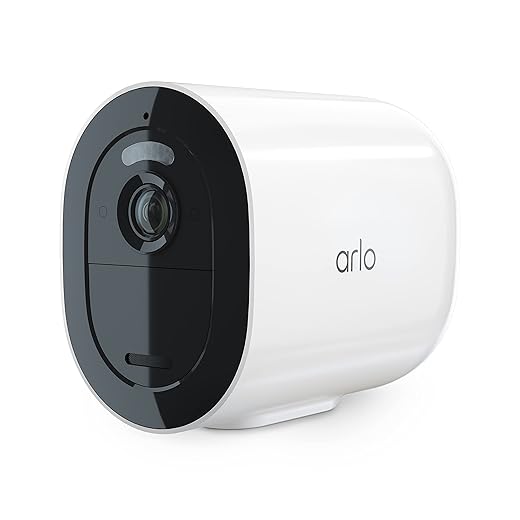
Arlo Go 2 1080p Cellular LTE Security Camera - Wireless Outdoor Camera, Removable Rechargeable Battery, Animal Detection, AI Event Captions, 2-Way Audio, SIM...
For a permanent, high-bandwidth solution, direct Ethernet cabling provides the most stable connected experience. Prosumer models like the Ubiquiti UniFi G4 Pro thrive on this setup, ensuring uninterrupted 4K streaming to a local Network Video Recorder (NVR). This wired backbone offers superior reliability for continuous recording and immediate access to the footage archive without competing for wireless bandwidth with other household devices. It represents the professional standard for integrated home systems.

UNIFI Protect G4-PRO Camera
Ultimately, your choice hinges on the required balance between convenience and autonomy. A hybrid strategy often proves most effective: use a cellular or wired backbone for critical real-time functions and alerts, while employing local storage for continuous, network-independent recording. This layered approach, utilizing devices like the Eufy SoloCam S340 with its dual storage and optional Wi-Fi, future-proofs your setup against both security flaws and service outages, ensuring surveillance integrity through multiple connectivity avenues.

eufy Security SoloCam S340, Solar Security Cameras Wireless Outdoor, Cameras for Home Security, 360° Pan & Tilt Surveillance, No Blind Spots, 2.4 GHz Wi-Fi,...
Core Functionality: What a Smart Camera Can Do Without WiFi
Directly answer: a modern surveillance device operates fully offline. Its primary security function is local video recording onto a microSD card, like the 256GB SanDisk High Endurance model, ensuring 24/7 capture without a single wireless signal.
Onboard motion detection triggers instant alerts and recording, while built-in sirens or spotlights, such as those on the Blink Outdoor 4 (used in local-only mode), deter intruders autonomously. Two-way audio via a direct Bluetooth link to your phone allows for local communication without internet access.

Blink Outdoor 4 – Wireless smart security camera, two-year battery life, 1080p HD day and infrared night live view, two-way talk. Sync Module Core included –...
For remote viewing without a traditional home network, these units create their own direct peer-to-peer link. Devices like the Reolink Argus 3 Pro use 4G LTE cellular connectivity, transmitting footage directly to your smartphone via a mobile data plan, completely bypassing home broadband.
Essential configurations are done through a direct, temporary device-generated hotspot. After setup, features like scheduled recording, custom activity zones, and night vision function perpetually. For whole-home coverage without wireless interference, hardwired systems like the Eufy Security S330 use a proprietary HomeBase to form a secure, closed-circuit network.

eufy Security 4G LTE Cam S330, 4K Cellular Solar Security Cameras Wireless Outdoor, Pan and Tilt, 4G and Wi-Fi Duo-Mode, AI Tracking, with SIM Card and 32GB...
Local Recording to SD Card (Like the Reolink Argus 3 Pro)
For a truly independent surveillance function, choose a device with onboard storage, such as the Reolink Argus 3 Pro. This model records events directly to a microSD card, up to 256GB, without requiring a constant network link.
The primary advantage is continuous operation during a power or internet outage. Your footage remains secure on-premises, eliminating cloud subscription fees and potential online breaches. For optimal security, use a high-endurance card (e.g., SanDisk High Endurance 128GB) and format it quarterly within the device’s app.
While you lose live, remote viewing when the unit is offline, recorded clips are instantly available for review once connectivity is restored. To access this archive, you can either remove the SD card or use the Reolink app when the gadget is connected to your home Wi-Fi. Pair this with a solar panel for a completely wire-free, self-sufficient system.
Triggering On-Device Alarms and Sirens
Activate the built-in siren function on your security device as a primary deterrent, even when it’s not connected to any network. Models like the Reolink Argus 3 Pro or the Eufy SoloCam S340 use PIR motion sensors to trigger a loud, local alarm and flashing strobe light automatically, scaring off intruders without requiring internet access.
Configure these settings directly through the device’s mobile app while on the same local wireless network during setup. Once programmed, the logic runs entirely on-board. For instance, you can set the alarm to sound only during “Away” modes or at specific hours, ensuring the security system reacts appropriately without cloud commands.
This on-device capability provides a critical layer of protection during network outages. A comparison of popular models illustrates key features:
| Model | Siren Volume | Trigger Options | Local Control |
|---|---|---|---|
| Reolink Argus 3 Pro | 105 dB | Motion, Schedule | App via Direct Wireless Link |
| Eufy SoloCam S340 | 100 dB | Motion, Human Detection | App via HomeBase Hub |
| Arlo Pro 4 (Local Mode) | 90 dB | Motion, Activity Zones | App with Sync Module 2 |
For enhanced security, pair the alarm with local SD card recording. The device can start capturing video the moment the siren is triggered, preserving evidence independently of cloud subscriptions or global web connectivity. Regularly test the siren function through the app to ensure its operational readiness and adjust sensitivity to minimize false alarms from pets or passing cars.
Using PIR Motion Sensors for Basic Detection
Prioritize devices with advanced PIR (Passive Infrared) sensors, like the Reolink Argus 3 Pro or the Eufy SoloCam S40, for reliable, low-power detection without requiring constant network access. These sensors detect body heat and movement, filtering out false alarms from light changes or swaying vegetation.
Configure the sensor’s sensitivity and detection zone within the device’s local app to focus on critical areas, such as a walkway, while ignoring a busy street. This setup functions entirely offline, conserving battery and storage space on the microSD card by only recording when genuine movement is sensed.
For a fully wireless setup, combine a PIR-driven unit with a solar panel, ensuring perpetual operation. You maintain complete local control; adjustments are made on-site via a direct Bluetooth connection to your phone, keeping the system independent from the internet.
While live viewing from a remote location demands a network, the core detection and recording workflow is autonomous. The recorded clips stored locally can be accessed later for review, either by physically retrieving the memory card or by temporarily connecting the unit to a wireless network when you are present.
Direct Device-to-Phone Connection via Bluetooth
For immediate, private access to your surveillance feed without an internet gateway, pair your unit directly to a mobile device via Bluetooth. This method establishes a secure, point-to-point wireless link, ideal for initial setup, configuration, and local playback when a broader network is unavailable or undesirable.
Key functions enabled by this direct pairing include:
- Initial Configuration & Settings: Use the manufacturer’s app (e.g., for Blink, Reolink, or Eufy devices) to set up the device, format its microSD card, and adjust detection zones without ever joining a Wi-Fi network.
- Direct Live View & Playback: When within range (typically 30-100 feet), open the app to view a real-time stream or review footage stored locally on the device’s SD card. This provides instant access without data usage.
- Firmware Updates: Some models, like certain Eufy SoloCam variants, allow you to download firmware updates via your phone’s internet and then transfer them directly to the gadget via Bluetooth.
Consider the Blink Mini 2 (2025 model). Its “Local View” function uses Bluetooth to let you watch a live stream directly on your phone, ensuring security footage never traverses the cloud unless you choose to enable that feature. Similarly, the Reolink Go Plus uses Bluetooth for initial setup and to connect to your phone for direct viewing, leveraging its 4G LTE capability for primary remote access.
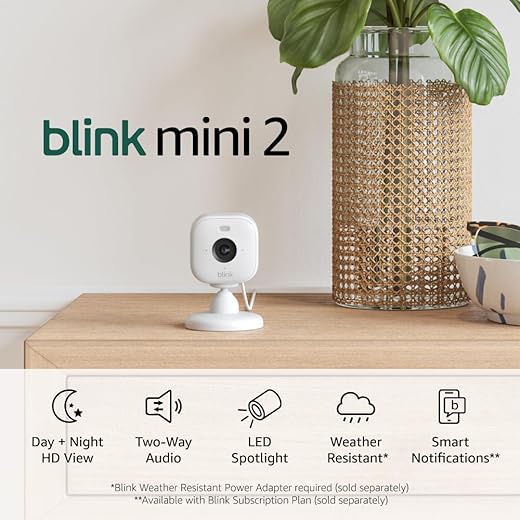
Blink Mini 2 — Home Security & Pet Camera with HD video, color night view, motion detection, two-way audio, and built-in spotlight — 1 camera (White)
Critical limitations to note:
- Range Constraint: You must be physically close to the device. This is not a solution for remote viewing from another city.
- No Remote Alerts: While the PIR sensor can trigger local recording and an on-device siren, you will not receive push notifications to your phone when disconnected. The Bluetooth link is not persistent for alerts.
- One-to-One Connection: Typically, only one phone can be actively paired for direct access at a time, unlike a network setup that allows multiple user accesses.
This approach is optimal for enhancing security through air-gapped operation or as a reliable fallback when your primary wireless network fails. It ensures core functionality and access remain under your direct control.
WiFi-Dependent Features You Might Lose
Understand that without a persistent wireless link to your home network, several advanced functions become unavailable. The core trade-off is forfeiting remote, real-time access and cloud-based automation.
You will primarily lose the ability to:
- View Live Streams Remotely: From anywhere with internet, like checking on your pet from the office. Devices like the Google Nest Cam (Battery) require this network connectivity for its primary app interface.

Google Nest Cam Outdoor or Indoor, Battery - 2nd Generation - 1 Pack
- Receive Instant Push Notifications: Alerts of motion or sound sent directly to your phone depend on the unit being connected to the internet to relay the signal.
- Access Cloud Storage & Video History: Services like Ring Protect plans, used with Ring Stick Up Cam Battery, store event recordings online. No internet means no upload, leaving gaps in your security timeline.
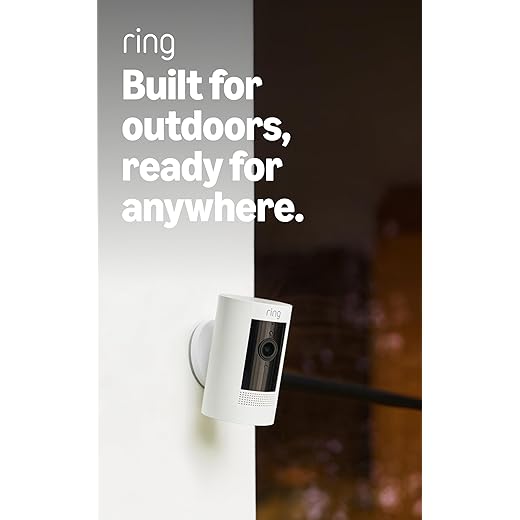
Ring Outdoor Cam (Stick Up Cam), Weather-resistant home or business security camera, outdoor ready, Live View, Color Night Vision, Two-Way Talk, motion...
- Use Two-Way Audio Remotely: Speaking to a delivery person through your device, a key feature of the Blink Outdoor 4, requires an active wireless connection for real-time communication.
- Integrate with Broader Smart Home Ecosystems: Commands like “Alexa, show me the front door” to an Echo Show or automations with Google Home require all devices to be on the same network.
- Perform Over-the-Air (OTA) Firmware Updates: Critical security patches and new features from manufacturers are delivered via the internet. A disconnected device may miss vital updates.
For a robust setup, consider a hybrid approach. A model like the Eufy SoloCam S340 can record locally to its built-in storage for basic security, while its optional wireless connectivity unlocks remote features when you have network access. This balances core function with advanced, internet-dependent utility.
Live View Remotely from Any Location
For true remote access from anywhere, your surveillance device must be on a network with internet access. This is the core function that separates local monitoring from global viewing. A unit like the TP-Link Tapo C320WS uses a cellular 4G LTE connection, creating its own wireless network to stream footage without any local Wi-Fi. For areas with unstable broadband, a NETGEAR Orbi 4G LTE router can provide a backup internet source for your entire security ecosystem.

Tapo 2K+ Outdoor Wired Security Camera - Person/Vehicle/Motion Detection, 24/7 Recording, Starlight Color Night Vision, Subscription-Free Local Storage or...

NETGEAR Orbi 4G LTE Mesh WiFi Router (LBR20) | for Home Internet or Hotspot | Certified with AT&T, T-Mobile & Verizon | Coverage up to 2,000 sq. ft., 25...
Devices connected via traditional Wi-Fi rely on your home network’s internet uplink speed. For a smooth, high-definition feed, ensure your upload bandwidth exceeds 2 Mbps. Use your phone’s mobile data to test the stream quality from your intended remote location; services like Amazon Cloud Cam historically suffered lag on poor connections. A dedicated app, such as those for Eufy Security or Arlo systems, tunnels the video securely from your home network to your phone, granting instant access.
Consider hybrid models. The Reolink Go Plus combines a solar panel with a built-in 4G modem, ideal for construction sites or remote properties. Remember, continuous live viewing remotely drains batteries on wireless cams and consumes significant cellular data–opt for event-triggered viewing or lower resolution settings to conserve resources. Always verify the manufacturer’s cloud service or app reliability, as this link is critical for uninterrupted remote access.

REOLINK 5MP 4G LTE Cellular Security Camera Outdoor, 360° Pan-Tilt, Sim+32GB SD Card Included, Wireless Solar Powered, Color Night Vision, Smart AI...
Question-Answer:
Can a smart camera work if I don’t have a home WiFi network?
Yes, several smart cameras can operate without WiFi. A common alternative is cellular connectivity, where the camera uses a SIM card and mobile data plan to transmit footage, similar to a smartphone. This is excellent for remote sites like construction yards or vacation cabins. Other models offer local storage only, recording directly to a microSD card. You can physically remove the card to review footage, but you won’t get remote alerts or live streaming. Some cameras also create their own direct wireless link to a dedicated hub or recorder using protocols like Zigbee or proprietary frequencies, bypassing the need for your home internet entirely.
What are the real disadvantages of a WiFi-only camera?
The main limitation is complete dependence on your network. If your internet goes down, the camera loses remote access and alerts, creating a security gap. WiFi cameras can also suffer from bandwidth congestion, leading to choppy video if many devices are online. Their range is confined to your router’s signal strength, which can be problematic for large properties or outdoor areas far from the house. Finally, they are vulnerable to network-based hacking if not secured properly, potentially giving unauthorized access to your feed.
I want a camera for a barn without internet. What are my best choices?
For a barn without internet, a cellular (4G/5G) camera is likely the most functional option. It provides full remote viewing and alerts by using mobile networks, though it requires a monthly data subscription. A simpler, cost-effective choice is a camera with local storage on an SD card, but you must retrieve the card to see recordings. For basic monitoring without remote access, consider a battery-powered trail camera that saves photos and video to an SD card. It’s motion-activated, durable, and designed for long-term use in outdoor structures.
How does video storage work on cameras that don’t use WiFi?
Non-WiFi cameras primarily use physical, on-board storage. The most common method is a removable microSD card. The camera records continuously or upon motion directly to the card. To view the footage, you take the card out and insert it into a computer or compatible device. Higher-end systems, especially for professional use, might record to a local Network Video Recorder (NVR) via a direct wired or proprietary wireless connection. The footage stays on the hard drive inside the NVR unit, which is typically located on the premises, not in the cloud.

【16 channel Extendable】Hiseeu 8 Port 4K PoE Network Video Recorder NVR, Support 4K/2K/8MP/5MP/3MP/1080P PoE Camera, Free Remote Access, Motion Alarm, 24/7...
Are non-WiFi cameras harder to set up than regular smart cameras?
Setup complexity varies by type. Cameras with only an SD card are often very simple—insert the card, power the camera, and they start recording. Cellular cameras require activating a SIM card and data plan, which adds steps but is guided by the provider’s app. Cameras that connect to a proprietary hub involve pairing devices, which can be more involved than WiFi setup. Wired systems using Ethernet (PoE) require running cables but often have very straightforward plug-and-play configuration once the physical installation is complete. The initial effort can be greater, but it often results in a more stable connection long-term.


