


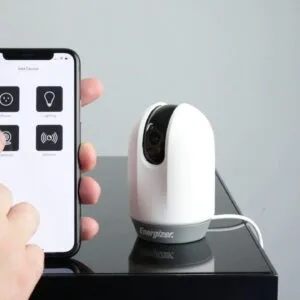


Choosing the right lighting system relies on understanding the various options available, particularly when aiming to seamlessly integrate technology into your living space. The amount of customization these systems offer can transform mundane environments into vibrant scenes, enhancing not only aesthetics but also functionality. Connectivity options such as Wi-Fi and Bluetooth allow you to pair devices, achieving control over lighting that works harmoniously with your daily routines.
- Use advanced bulbs and fixtures to create personalized scenes for wake-up, work, and relaxation.
- Prioritize compatibility with hubs, protocols like Zigbee or Z-Wave, and voice assistants for seamless control.
- Follow manufacturer instructions and safety steps when installing, including turning off power at the breaker.
- Optimize daily use with schedules, timers, and grouped controls to automate brightness and ambiance changes.
- Troubleshoot connectivity with Wi-Fi range extenders, app checks, and device resets to maintain reliable performance.

When exploring the latest trends, consider that the shift from traditional incandescent bulbs to advanced lighting solutions is not merely about brightness; it’s about the sophisticated modes and settings that become part of your lifestyle. For instance, some setups feature a wake-up mode that gradually increases brightness, simulating a natural sunrise while supporting a stable morning routine. This capability lets users set personalized “scenes” for every occasion, from cozy evenings to focused work sessions.
Moreover, the future of illumination is becoming increasingly reliant on software developments that facilitate ongoing adjustments to power management. Once deemed a luxury, features such as randomized settings for ambiance or mood lighting are now becoming standard offerings. The ability to control these elements remotely can significantly enhance quality of life within your personal empire, producing environments that are not just smarter, but genuinely user-friendly.
Installing Smart Light Fixtures
To easily install innovative light fixtures, start by selecting the right types that suit your house. For example, the Philips Hue White and Color Ambiance bulbs available on Amazon can wirelessly connect to your Wi-Fi network. Once you decide, ensure you follow the manufacturer’s instructions to maintain a high-level of functionality.

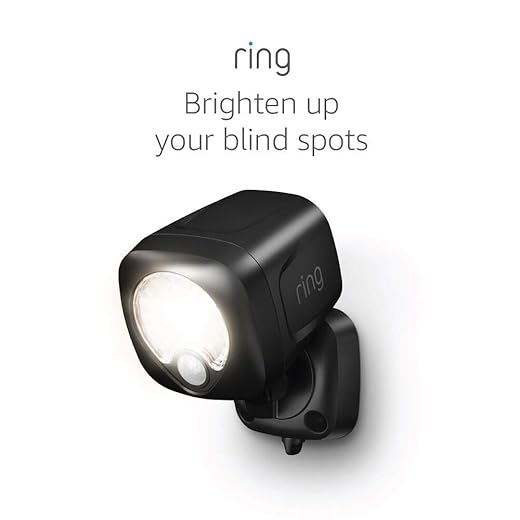
Pay attention to the amount of light you want each fixture to provide. There are many varying options, from soft ambiance to bright illumination for tasks. For outdoor use, consider waterproof fixtures like the Ring Smart Lighting, which can be controlled remotely and adapt to your movements.
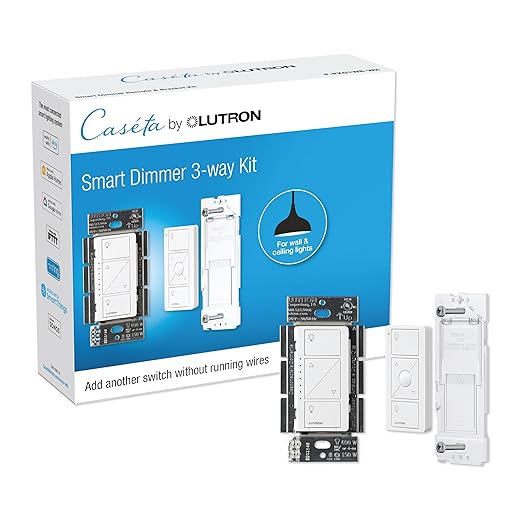
Many modern systems integrate with popular voice assistants like Siri, allowing you to command your lights effortlessly. Using inputs such as the Lutron Caseta Wireless Dimmer Kit enables you to adjust light levels according to your preferences. Test different scenarios to see which functions work best for your lifestyle.
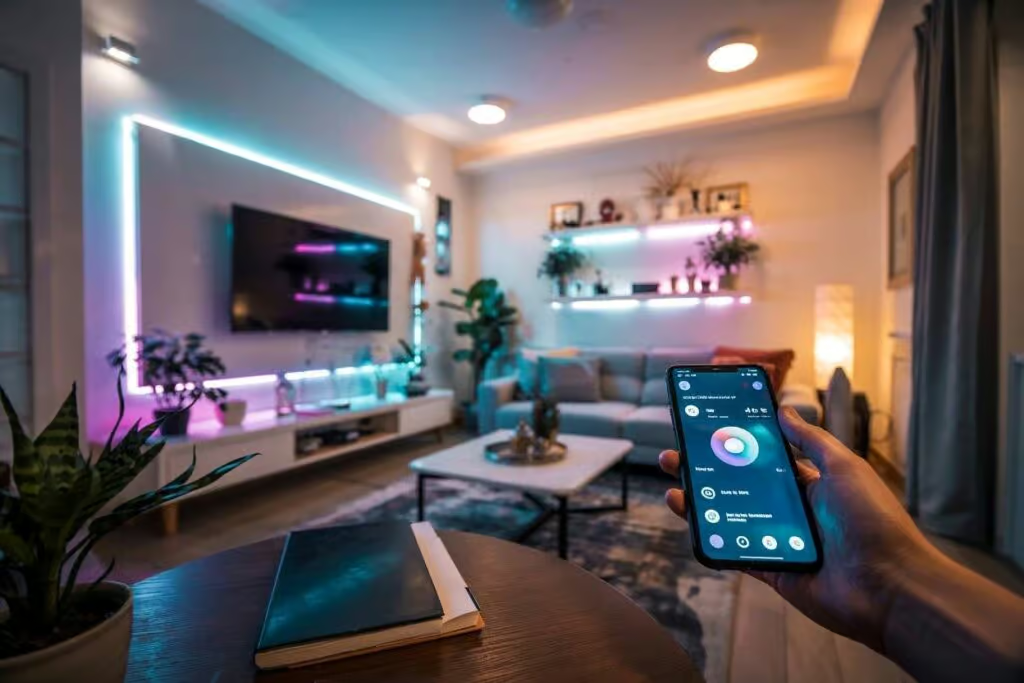
With the right setup, you can create a luxurious ambiance across different rooms. For instance, having smart fixtures in your living room and kitchen makes it easy to manage lighting from one centralized ecosystem. Some high-end models even allow you to operate separately, customizing light for specific activities at different times of the day.
Finally, don’t forget about apps that provide free control over your lights, enabling more innovative interactions. Platforms like Google Home or Amazon Alexa pave the way for seamless integration, making your smart home experience truly enjoyable.
Choosing the Right Smart Light Fixtures for Your Space
For effective installation, consider floodlights for outdoor areas that often require additional brightness. These fixtures usually integrate well with various systems and can lead to enhanced security. Products like the Ring Floodlight Camera offer both illumination and surveillance, allowing you to monitor your property efficiently.

Ring Floodlight Cam Wired Plus (newest model), Outdoor home or business security with motion-activated 1080p HD video and floodlights, White
Pendant lights are another excellent option for indoor settings. They can be particularly beneficial over dining areas or kitchen islands, creating moods that accommodate any occasion. The Phillips Hue White and Color Ambiance pendant can update the ambiance speedily with its various color programs.

When choosing your fixtures, always check compatibility with your existing setup. Not all systems are created equal; some require specific inputs or apps. For a do-it-yourself approach, the Lutron Caseta Wireless Smart Lighting kit allows for flexible installations and uncomplicated integration with other smart devices.

Moreover, consider Halo lights for versatility, as they can adjust brightness based on ambient light. This feature is ideal for rooms that experience varying levels of natural light throughout the day. By selecting the right products, you can easily control how your space feels and functions, setting the perfect mood for any occasion.
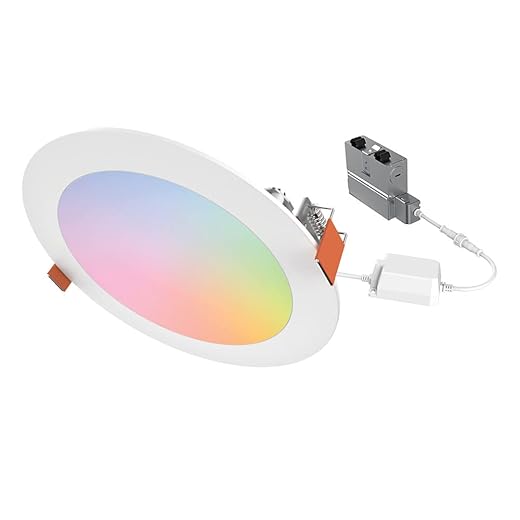
Understanding Compatibility with Existing Systems
To ensure a seamless integration of advanced luminaires into your space, check compatibility with current systems before purchasing. Many products now connect via WiFi or Bluetooth; for real-life examples, consider the Philips Hue White and Color Ambiance bulbs available on Amazon. These bulbs work wirelessly and seamlessly with systems like Alexa or Google Home.
Establishing a central hub is ideal if you’re looking to control multiple devices across various rooms. Consider the SmartThings Hub, which can process data from different brands, making it unnecessary to rely on numerous apps. This speeds up the process of automation, allowing you to create schedules for mornings and nights effortlessly.
![SmartThings Hub 3rd Generation [GP-U999SJVLGDA] Smart Home Automation Hub Home Monitoring Smart Devices - Alexa Google Home Compatible - Zigbee, Z-Wave, Cloud to Cloud Protocols – White](https://m.media-amazon.com/images/I/614d2lQP0hL._SS520_.jpg)
While selecting devices, check for standard protocols to avoid compatibility issues. Products that adhere to Zigbee or Z-Wave standards are particularly versatile–offering options that can connect with many smart home devices, ensuring you’re able to enhance your environment in the future rather than limiting choices to a single brand.
For those in the market for affordable solutions, the Wyze Bulbs are a great option. They provide a dependable experience while keeping your energy bills low. Whether it’s through adjusting brightness based on real-time requirements or scheduling to turn off lights automatically, these bulbs could easily complement your sister’s existing setup.

Ultimately, smart lighting should be a tool that simplifies your life rather than complicating it. By choosing the right products and checking their compatibility with what you already have, you’ll create a cohesive environment that meets your needs while enhancing both convenience and efficiency.
Step-by-Step Installation Process for Smart Lights
To install network-based illumination, start by choosing the right bulbs that fit your style. For instance, LED bulbs like Philips Hue or LIFX are popular examples. These devices allow for remote control and can integrate well with voice assistants.
Once you’ve selected your bulbs, download the accompanying app on your smartphone. This app not only lets you control the lights but also sends notifications when updates are available or when you can optimize your devices. Make sure your Wi-Fi network is strong, especially if you plan to use multiple bulbs scattered throughout your space.
Next, turn off the power at the circuit breaker before replacing your existing bulbs with the new smart ones. If you are using dimmer switches, verify that they are compatible with your chosen devices. After replacing the bulbs, restore power, and follow the app’s instructions to connect them to your network. You’ll probably need to reset the bulbs by turning them on and off a few times.
For additional features, consider setting up special lights under the bed for a cozy ambiance. This enhances your nighttime experiences and makes it easier to move around without leaving the bed. Use the app to group your lights or control them separately based on your needs.
After installation, adjust your lighting settings in the app based on your preferences. You can create schedules or scenes for different times of day, which lets you control your atmosphere easily. Moreover, consider incorporating motion sensors that automatically turn on and off when you move, adding to the convenience.
Troubleshooting Common Installation Issues
If you’re facing issues with your new illumination system, start by checking the bulbs. For example, ensure they are correctly installed and fit the socket type. An easily overlooked problem is compatibility; not all bulbs work with dimmers or smart connectors. Always refer to the manufacturer’s guidelines.
Next, focus on your mobile app settings. If you can’t manage your devices remotely, it might be due to a weak Wi-Fi signal. Consider extending your network range in areas where the connection falters. Investing in a range extender can significantly enhance convenience and performance.

- Example Products: TP-Link AC750 Wi-Fi Range Extender
- Example Products: AmazonBasics Smart Outlet

If you notice that the circadian features aren’t functioning, check the schedule you set the system for. Implementing a sunrise simulation may help improve your sleep cycle, so ensure it aligns with your preferences. Attention to detail matters here.
For pendant lights, look at the installation height. If they’re too low, they may block views or create inconvenience. You want them well-positioned to avoid intruders while providing adequate illumination in your living area.
Finally, think about bulb lifespan. Certain LEDs can last up to 25,000 hours, but factors like usage and environmental conditions can affect this. Invest in quality products, like Philips Hue White and Color Ambiance bulbs, to ensure you’re able to enjoy the best functionality.
With these tips, you can troubleshoot common installation problems, ensuring your future lighting experiences are smooth and satisfying.
Integrating Lights with Home Automation Systems
To seamlessly connect your illumination solutions with home automation systems, start by ensuring all devices are on the same network. This step allows your tablet or smartphone to communicate with lights like Nanoleaf or chandeliers easily. You’ll want to select the correct protocols during installation to guarantee compatibility with your chosen hub.
After setting everything up, you can customize your settings. Think about how you’d like your lights to behave during varying times–like automatically dimming at sunset or brightening in the morning. For example, using Alexa, you can set voice commands that trigger specific experiences, enhancing your daily life.
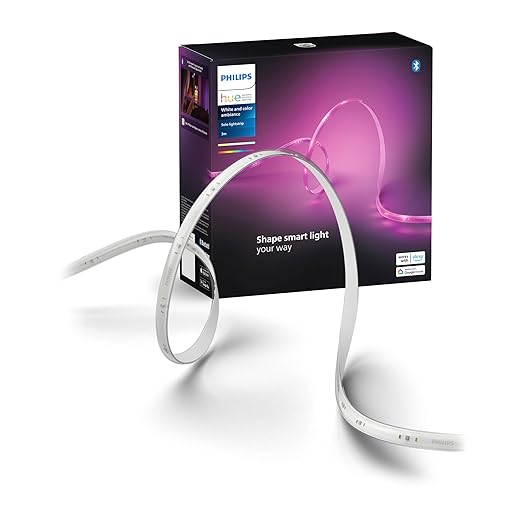
Some brands like Philips Hue already have built-in features for seamless integration. When setting scenes for movie nights or cozy evenings, the options are plenty. However, if you’re looking for something more unique, consider innovative ideas with Nanoleaf panels, which offer programmable light displays according to your mood.
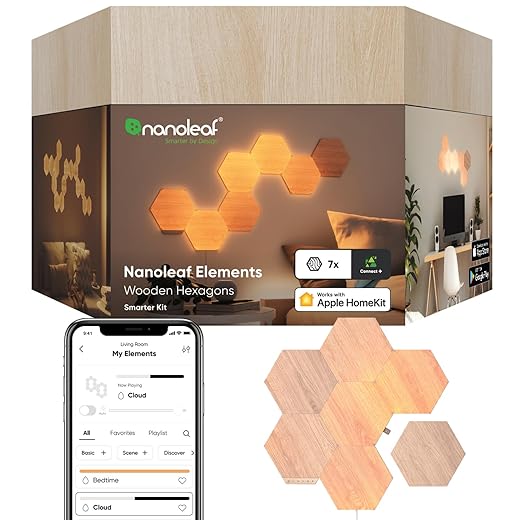
If surprises arise, resetting your devices can often improve connectivity. You may find, without proper configuration, that certain functions don’t work as expected. Here, take the time to troubleshoot. You can always refer to the user manual or online support if you face challenges; this will assist in setting everything to work flawlessly together.
In summary, integrating your lights into an automated system is achievable with a few crucial steps. Select the right devices, ensure network compatibility, and personalize your settings. Over time, this integration will significantly simplify your evenings and mornings, creating an ambiance tailored to your life.
Optimizing Light Settings for Daily Use
To maximize the benefits of your illumination system, start by utilizing timers and schedules. This allows your devices to turn on and off automatically, ensuring a consistent environment throughout the day. For instance, you can set your color-changing bulbs to gradually brighten in the morning, replicating a natural sunrise, or to dim in the evening for a cozy atmosphere.
Using mobile apps on smartphones makes it easy to adjust your settings on the go. Many products, such as the Philips Hue White and Color Ambiance Starter Kit, offer features that let you control your bulbs remotely. Additionally, consider a wi-fi bridge to enhance connectivity, ensuring there are no failures when you’re trying to change the ambiance.

If you want flexibility, combine various types of bulbs. For example, implement energy-efficient floodlights outdoors while using softer LEDs indoors. This approach creates a balanced and luxurious feel in your spaces. When choosing products, look for models that allow for easy integration with existing switches to reduce installation hassle.
To add versatility, consider extended light strips in areas like under cabinets or along shelves. These can move and vary the ambiance by casting light in unique patterns. For greater convenience, opt for products like the LIFX Z LED Strip, which offers seamless control through a mobile interface.
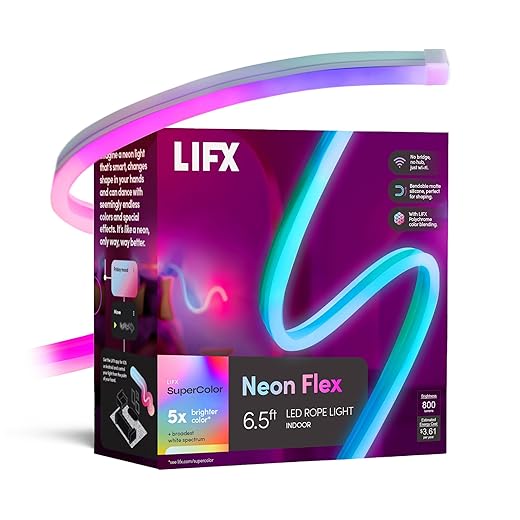
Involve family members in the setup process; perhaps your sister could help with design ideas that suit your preferences. With so many options available today, including basic setups to sophisticated networks, you could create a personalized environment tailored to your taste and lifestyle.
🔧 Summary Table: Smart Lighting Products in the Article
| Category | Products Mentioned | Primary Use |
|---|---|---|
| Smart Bulbs | Philips Hue White & Color Ambiance Bulbs, LIFX A19 Wi-Fi Smart Bulb, Wyze Smart Bulbs | Adjustable brightness & color for everyday rooms |
| Starter Kits | Philips Hue White & Color Ambiance Starter Kit | Entry-level smart lighting setup |
| Pendant & Ceiling Lights | Philips Hue White & Color Ambiance Pendant, Halo Smart Lights | Dining areas, kitchens, main rooms |
| LED Strips & Accent Lighting | Philips Hue Lightstrip, LIFX Z LED Strip | Shelves, cabinets, ambient lighting |
| Outdoor & Security Lighting | Ring Smart Lighting, Ring Floodlight Camera | Outdoor illumination + security |
| Smart Switches & Dimmers | Lutron Caseta Wireless Dimmer Kit, Lutron Caseta Smart Lighting Kit | Manual + app-based light control |
| Smart Home Hubs | Samsung SmartThings Hub | Centralized control for multiple brands |
| Voice Assistants / Platforms | Amazon Alexa, Google Home, Apple HomeKit (Siri) | Voice & automation control |
| Networking Accessories | TP-Link AC750 Wi-Fi Range Extender, Wi-Fi Bridge | Stable connectivity for smart lights |
| Smart Plugs & Outlets | AmazonBasics Smart Outlet | Remote on/off control of lighting |
| Decorative / Modular Lighting | Nanoleaf Light Panels | Design-focused ambient lighting |
| Sensors & Automation | Motion Sensors, Circadian / Sunrise Simulation Modes | Energy saving & daily routines |
| Wireless Protocols | Wi-Fi, Bluetooth, Zigbee, Z-Wave | Device communication standards |
🧠 How to Use This Table
-
For beginners: start with Smart Bulbs + Starter Kit
-
For apartments: bulbs + dimmers + voice assistant
-
For houses: add outdoor lighting, hub, motion sensors
-
For aesthetics: LED strips + Nanoleaf panels
Q&A:
What are the main benefits of using smart lighting in my home?
Smart lighting offers several advantages, such as energy efficiency, convenience, and enhanced security. By controlling your lights remotely, you can ensure that lights are turned off when not in use, reducing energy consumption. Additionally, the ability to set schedules or control lights via smartphone apps means you can easily adjust illumination to fit your daily routine. Smart lighting can also increase home security by simulating occupancy when you’re away, making it less likely for intruders to target your home.
How do I set up a smart lighting system in my home?
Setting up a smart lighting system generally involves a few steps. First, determine what type of smart bulbs or smart lighting fixtures you want to install. Once you have your lights, you should download the corresponding app on your smartphone or tablet. Then, follow the app’s instructions to connect the bulbs to your home’s Wi-Fi network. After the lights are connected, you can customize your settings, create schedules, and control your lights remotely. It may also be beneficial to integrate your smart lighting with a smart home hub for added functionality.
Can I control smart lights with voice commands?
Yes, many smart lighting systems are designed to work with voice assistants like Amazon Alexa, Google Assistant, or Apple HomeKit. After setting up your smart lights and linking them to your voice assistant, you can control them using simple voice commands. This means you can easily turn lights on or off, adjust brightness, or change colors just by speaking, which adds an extra layer of convenience to your home lighting experience.
Are smart bulbs compatible with regular light fixtures?
Yes, smart bulbs can typically be used with standard light fixtures as long as the socket type matches, such as E26 or E27 for most household fixtures. However, it’s important to check the specific product details to ensure compatibility, particularly regarding wattage and voltage. If you prefer a more integrated solution, consider purchasing smart lighting fixtures that come equipped with built-in smart technology, though this option may require professional installation.
How can smart lighting contribute to energy savings?
Smart lighting contributes to energy savings primarily through automation and energy-efficient LED technology. By using scheduling features, you can program lights to turn off during times when they aren’t needed, thereby reducing electricity wastage. Most smart bulbs are also LED, which consumes significantly less energy than traditional incandescent bulbs. Additionally, some smart lighting systems provide energy use monitoring, allowing you to track and optimize your lighting habits for better savings.


