


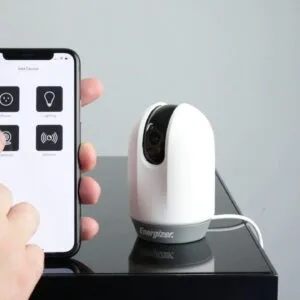


In today’s fast-paced world, the need for interconnected systems to manage our daily tasks has never been greater. Smart plugs are a fantastic product that allows anyone to automate their home in just a few seconds, making it easier than ever to control devices like lights, heaters, and purifiers. This article provides an overview of ten smart plug tricks that will help you streamline your home automation and improve your daily life.
These tricks can take your home’s climate control to the next level by allowing you to set timers or triggers that respond to your location. For example, you can program your smart plug to turn on the coffee maker or lights as you approach your front door. With seamless compatibility with devices like Amazon Echo or Samsung products, managing your smart home setup becomes very efficient.
Whether you’re looking to automate the heating in your home or just want to ensure that the milk doesn’t spoil while you’re away, this guidequick article has all the tips you need to get started. Here’s a list of suggestions that showcase how easily you can take control of your environment, no matter what factors limit you. Make the most of your smart plug technology and become the ultimate user in managing your home’s energy flows.
Easy Setup Offline-Ready Control Thanks to Matter
With the rapid advancement of smart home technology, users now have the option to control their devices with greater ease and efficiency. The introduction of Matter has significantly enhanced this experience, allowing for a more seamless interaction with your smart plugs. Once you’ve integrated Matter into your home, it feels like magic as your outlets respond to commands from anywhere via voice or a user-friendly app.
Imagine being able to set triggers for different scenes in your home, such as when you leave for work or when you return at the end of the day. For instance, a Tp-Link smart plug can be scheduled to turn on your coffee maker automatically every morning, ensuring you have a fresh cup waiting for you. These smart plugs not only provide power to your devices but also enable you to build specific routines that fit your daily life.
One of the standout benefits of using Matter-compatible devices is their robust offline functionality. This means that even if your internet connection drops, your smart plugs can still execute your scheduled commands. Users can also store data locally, which helps maintain connectivity and ensures their devices continue to work as intended. The diagnostics features offered by some models allow you to test and monitor your devices easily, letting you know if something is not functioning correctly.
When you’re out the door, there’s no need to worry whether you’ve left anything on, as notifications can be set to remind you. You can easily stop power at any outlet through your smartphone or voice commands, saving you time and energy. Whether you’re looking for a suitable smart plug for your system or planning to upgrade your current model, considering the enhanced capabilities provided by Matter will undoubtedly improve your smart home experience.
Understanding Matter Protocol for Smart Devices
The Matter protocol is an exciting advancement in the world of smart home technology. It provides a unified framework that allows various smart devices to communicate effectively, regardless of the region or brand. Imagine a scenario where your smart plugs, switches, and appliances work seamlessly together without the usual hiccups that often accompany different systems.
This is where Matter steps in, behind the scenes, to ensure that your smart home is truly intelligent. By using a wide range of compatible devices, from smart plugs that can be found on “Amazon” to smart light bulbs, Matter enhances your home’s comfort and convenience. For example, a product like the TP-Link Kasa Smart Wi-Fi Plug works with Matter, allowing you to schedule your devices step-by-step, so your coffee maker is ready when you wake up and your lights turn off as you unplug for the night.
According to recent studies, as households become more digital, integrating devices using the Matter protocol can drop connection problems, providing a mesh network that covers your entire space. This means that voice assistants like Alexa can control all your devices, ensuring you get notifications for any activity within your home. Something as simple as asking, “Hey Alexa, turn off the living room lights,” becomes a breeze.
Users who haven’t yet downloaded apps for Matter-enabled devices might be looking for a way to enhance their smart home experience. The beauty of Matter is its versatility; it allows both advanced users who want to deep dive into home automation and novice users looking for an easy installation. If you’ve ever wondered how to optimize your energy consumption at home, integrating Matter-supported devices is a great step. Think about it–your smart plugs can optimize electricity usage based on your location and routine, which can save you money on your energy bills over time.
In conclusion, as smart home technology evolves, understanding and utilizing the Matter protocol will undoubtedly provide enhanced user experiences. With its ability to connect a variety of devices efficiently, you’ll find yourself enjoying a more comfortable, convenient lifestyle. So, whether you’re setting up a morning routine that prepares your breakfast on time or managing your smart home systems while watching TV, Matter ensures that everything works harmoniously together.
Step-by-Step Guide to Setting Up Your Smart Plug
Setting up your smart plug can be quicker than you think, especially with a step-by-step approach. Whether you’re looking to automate your rooms, provide energy savings, or enhance convenience, this guide will help you get started effortlessly. Make sure you have your Wi-Fi settings ready, as these devices usually require a stable internet connection to function properly.
First, download the companion app that corresponds with your smart plug. Most brands such as TP-Link or Wemo have user-friendly applications available on both Apple and Android platforms. Here’s a quick overview of what to expect:
| TP-Link | Kasa Smart | Scheduling, Remote Access, Energy Monitoring |
| Wemo | Wemo App | Scheduling, Integration with Alexa/Google Assistant |
| Amazon Smart Plug | Amazon Alexa | Voice Control, Remote Access, Scheduling |
Once you’ve downloaded the app, open it and create an account if you haven’t already. The app will usually guide you through the settings to connect the plug to your Wi-Fi network. This process typically takes just a few seconds, ensuring you stay informed every step of the way.
Next, plug your device into a wall outlet and wait for it to connect. You might need to press the button on the smart plug to enable pairing mode. Each smart plug may have a different method, so don’t worry if something doesn’t happen right away–just check the instructions and experiment if necessary.
After your plug is connected, it’s time to customize your settings. You can name your smart plug, schedule on/off times, and set up various triggers based on your needs. For example, you could create a holiday schedule that turns your lights on automatically during specific hours to give the illusion that someone is home. This is particularly useful if you love to travel but want to maintain a lived-in look for your home.
In finishing, remember that the world of smart home devices is ever-evolving, and experimenting with different setups can lead to new discoveries. Don’t hesitate to explore additional features and tools that your smart plug supports. You may find that automating just one room can lead to a cascade of convenience across your entire home. Happy automating!
How to Use Smart Plugs Without an Internet Connection
Smart plugs are a fantastic way to automate your home, enabling you to control devices effortlessly. However, many users wonder if they can use smart plugs without an internet connection. The answer is yes! You can still enjoy the benefits of smart plugs even without being connected to the global web. This guide will show you how to make the most of your smart plugs, ensuring that your home remains efficient and comfortable.
First, you’ll want to check if your smart plug is designed for local control. Many affordable models, like the TP-Link Kasa Smart Plug, allow basic functionalities without requiring an internet connection. This means you can still turn your devices on or off manually, even if you’re down to just local control.
To set up your smart plugs without the internet, follow these simple steps:
- Plug the smart device into the wall socket and connect your appliance.
- Using the dedicated app, connect your smart plug to your home Wi-Fi initially, if possible.
- Once set up, you can create scenes for various rooms without relying on the internet.
- Adjust the settings and timers to create a homey environment; for example, set your lights to turn on at sunset, creating a welcoming scene.
For more advanced automation, consider adding a smart speaker, like an Amazon Echo, that supports local voice commands. Alexa can still control your smart plugs locally, further enhancing your home automation experience. Keep in mind that while you won’t have cloud-based services, you can still enjoy functionalities like scheduling and diagnostics that work seamlessly without an internet connection.
Another advantage of using smart plugs offline is energy optimization. For instance, pairing a smart plug with a HEPA machine can help adjust humidity levels in your rooms. The smart plug enables you to set schedules that efficiently manage energy use while maintaining a comfortable atmosphere, especially during the holiday season when your family might be home more often.
In conclusion, using smart plugs without an internet connection doesn’t mean compromising on automation. With the right approach, you can have a robust home setup that performs well in any scenario. So if you haven’t explored offline capabilities yet, it’s time to bring something new into your home!
Integrating Multiple Devices with Matter-Enabled Smart Plugs
Integrating Matter-enabled smart plugs into your home allows you to effortlessly control multiple devices across various platforms. These plugs maintain compactness while expanding the efficiency of your connected systems. Whether you want to manage your thermostat, kettle, or even outdoor lights on your porch, adopting smart plugs adds convenience to your family’s daily activities.
Typically, smart plugs are compatible with numerous devices designed to work in harmony with user-friendly apps. By downloading the right applications on your mobile device, you can discover how to control everything from lighting to your coffee maker with a simple voice command or a tap on your screen. Make sure your plugs are connected to a secure Wi-Fi network, as this ensures a seamless integration while protecting your passwords.
To set up automations effectively, follow a step-by-step guide. For example, you might want to program a schedule that triggers the thermostat to adjust temperature settings when your family arrives home. This not only saves energy but could also lower your monthly bill. You can also create adjacent setups that link multiple devices–like turning on the kettle when you’re brewing your morning coffee.
For those who haven’t explored this technology yet, integrating these components isn’t overly complex. With various Matter-enabled smart plugs available on platforms like Amazon, such as the TP-Link Kasa Smart Wi-Fi Plug or the Eve Energy Smart Plug, you can find models that perfectly fit your home life. They will allow you to master your environment, making everything more efficient and convenient for you and your family.
As you automate these things, consider your location and how different devices can work together. From controlling the thermostat in the living room to managing the outdoor lights on your porch, Matter-enabled smart plugs create a network that enhances your everyday life. Start experimenting with your automations today, and discover how easy it can be to embrace smart technology within your home!
Common Troubleshooting Tips for Offline Control
If your smart plugs, such as TP-Link or Linkind, are not responding as expected, it’s essential to understand common issues that might arise. This overview will help you manage your automated home systems effectively, ensuring you don’t face unnecessary inconveniences.
First, check your network connection. If your smart plug is offline, it often happens due to a weak or disconnected network. Make sure your Wi-Fi is working properly and that the device is within range. You can also monitor your network data to see if there are any interruptions. Sometimes, resetting your router for a few seconds can improve connectivity.
Next, ensure that your smart plug is turned on and properly connected to electricity. Many users overlook the simple fact that the device might not be receiving power. If the green indicator light is off, check your power source. This step-by-step approach can quickly solve the problem.
Moreover, if you have been using your smart plug for days without issues and suddenly it stops working, consider restarting the device. Unplug it for a minute and then plug it back in. This simple action can refresh the system, bringing it back online. You might also want to check your mobile app to ensure that your routines and settings are correct.
In terms of products, consider investing in more intelligent home solutions, like advanced smart plugs that support voice commands, making it even more convenient. For example, look for smart plugs on Amazon that have good reviews for efficiency and stability. Brands like Wemo and Amazon Echo Smart Plug are worth exploring.
If you encounter persistent problems, don’t hesitate to reach out to customer support. They can provide insights and solutions tailored to the specific issues you’re facing. By staying proactive and using these troubleshooting tips, you’ll enjoy a seamless experience when controlling your smart home devices.
Exploring Compatibility with Other Smart Home Devices
When looking to automate your home effortlessly, understanding how smart plugs work with other devices is crucial. Smart plugs typically serve as the hub that connects various products, allowing for improved management of your daily routines. For example, you can set schedules for your coffee kettle to start brewing every morning automatically. This integration leaves you free to manage other things without worry.
Compatibility is essential, as not all plugs will work seamlessly with every smart home device. Networking your devices can make a significant difference. For instance, products like the TP-Link Kasa Smart Plug and the Amazon Smart Plug can quickly connect with your entertainment systems or smart lights. This enables users to create customized routines where certain actions trigger others, like turning on your lights after you’ve activated your Alexa routine.
When automating, it’s vital to keep a master list of the devices you own. This checklist will help you verify compatibility and mitigate any potential errors. Many consumers appreciate how these products allow for easier management of their automated home. The Blink Mini camera, for example, works effortlessly with smart plugs for security purposes, allowing you to set schedules that leave your home lit to deter burglars while you’re away.
In conclusion, understanding how to navigate the compatibility of devices lets you build a cohesive smart home ecosystem. With guides available online, you can quickly figure out which products will work best together, ensuring you maximize your investment in home automation. So, whether you’re using Siri to control your lights or Alexa to manage your entertainment system, the right smart plug can enhance your experience significantly.
Questions and answers:
What are smart plugs and how do they work?
Smart plugs are devices that allow you to control your electrical appliances remotely using a smartphone app or voice commands. They connect to your home Wi-Fi network, enabling you to turn devices on or off from anywhere, set schedules, and monitor energy usage. By plugging a regular appliance into a smart plug, you can effectively convert it into a smart device.
Can smart plugs help with energy conservation?
Yes, smart plugs can contribute to energy conservation by allowing you to schedule appliances to turn off when not in use. For example, you can set a coffee maker to switch off automatically after a certain period, preventing unnecessary energy consumption. Many smart plugs also provide energy usage reports, helping you identify which devices consume the most power.
Are there specific tricks to enhance the use of smart plugs in daily life?
Absolutely! One useful trick is to create routines that automate your daily tasks. For instance, you can program your smart plugs to turn on your bedside lamp at sunset or to start cooking your slow cooker while you’re still at work. Integrating smart plugs with other smart devices, like sensors, can create a more synchronized home environment, making daily life more convenient.
How do smart plugs integrate with voice assistants like Alexa or Google Assistant?
Smart plugs can be easily linked to voice assistants such as Amazon Alexa or Google Assistant, allowing you to control your devices using voice commands. After connecting the smart plug to your app and linking it to your smart speaker, you can simply say commands like “Turn on the living room lamp” or “Switch off the coffee maker,” making operation hands-free and convenient.
What should I consider before purchasing a smart plug?
Before buying a smart plug, consider the compatibility with your home Wi-Fi network, as most require a stable 2.4GHz connection. Check the maximum load capacity to ensure it can handle your appliances’ wattage and be aware of any specific features you might need, such as energy monitoring or scheduling capabilities. Reading user reviews can also provide insights into reliability and performance.
What are some creative ways to use smart plugs in my home?
Smart plugs can transform how you manage various devices around your home. For instance, you can schedule your lights to turn on and off at specific times, which is great for security and energy savings. You can also use them to control devices that don’t have smart features, such as traditional lamps or fans. Another creative use is setting up a morning routine where the coffee maker starts brewing at the same time your smart lights gradually brighten, helping you wake up more naturally. These simple integrations can enhance your daily life significantly.


