


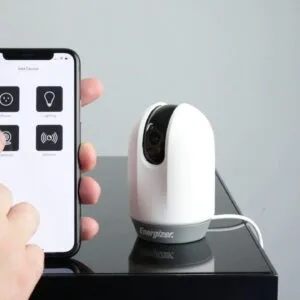


Controlling Home Lighting with Alexa is one of the easiest and most effective ways to turn your house into a smart home. With simple voice commands, you can switch lights on or off, adjust brightness, change colors, and create custom lighting scenes that match your mood or daily routine. Alexa-powered lighting control brings convenience, energy efficiency, and a modern lifestyle into your home without complicated setups. Whether you use smart bulbs, smart switches, or full lighting systems, Alexa helps you manage your home lighting hands-free, making everyday life smarter and more comfortable.
- Ensure device compatibility and stable installation for seamless Alexa lighting control and full feature access.
- Use the Alexa app to add devices, create groups, and name lights for easy voice commands and management.
- Create routines and schedules to automate brightness, colors, and scenes for daily activities and moods.
- Troubleshoot connectivity by checking power, Wi-Fi, firmware updates, and relinking device skills when needed.

To achieve a seamless experience in your environment, begin by ensuring a stable installation and connection of your smart lighting system. This process is straightforward if you follow the specified steps provided by the manufacturer. A good installation not only offers high levels of efficiency but also allows for precise control over brightness and color-changing features, elevating your ordinary living space to a realm of personalized illumination.
Utilizing advanced technologies, businesses and managers alike have found innovative ways to integrate smart lighting into their operations. This not only brings enhanced ambiance but also facilitates practical actions such as scheduling via a calendar or creating virtual atmospheres for different events. Companies like Elan provide sophisticated solutions that can be easily booked through their platforms, ensuring you have the tools necessary to customize your lighting experience to an ideal level.
In this endeavor, keep an eye on the whites and other color palettes that suit your preferences. A correctly configured system allows for complete control and ensures that your home or office environment reflects your style and functionality needs. Through an effective connection to your smart assistant, you can take charge of your space with just a voice command or an email command. Whether it’s an ordinary evening or a special occasion, transforming your surroundings has never been easier.
In conclusion, by following these guidelines, you will be on your way to experiencing the power of smart lighting. The action taken today will lead to a stable and inviting atmosphere tomorrow, making your space not just a place to live but a true reflection of who you are.
Onboarding Guide for Alexa Skills
Begin by ensuring your services are connected. Check the compatibility of your devices, like smart doorbell systems or lighting options that work seamlessly with Alexa. Many users prefer to group devices like lights and plugs for easy management. You should always verify if your selected devices are compatible with Alexa.
For an intuitive setup, dive into the Alexa dashboard. Here you will find verified guides that simplify the onboarding process. Look for the option to personalize your spaces; grouping devices in a central location allows for effortless voice commands. For example, you can create a ‘living room’ group that includes all your smart lighting, making it convenient during meetings or entertainment.
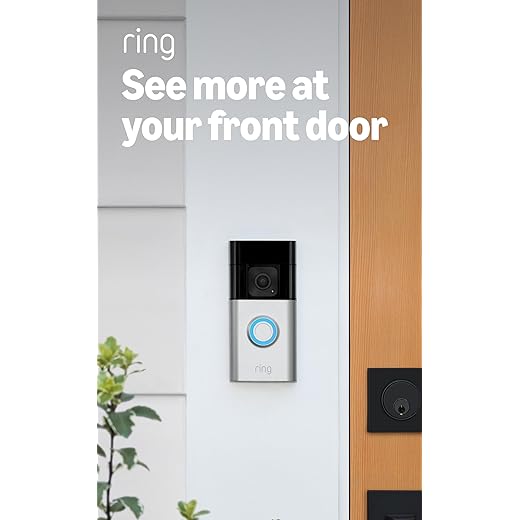
When it comes to cost, consider options that offer a good balance between features and budget. Products like the Ring Video Doorbell or Elan Control Systems are well-rated and enhance your connected home experience. They come with hosting capabilities, simplifying your conferencing needs, which is perfect for those who work from home.
| Product | Type | Features |
|---|---|---|
| Ring Video Doorbell | Security | Connected, two-way audio, compatible with Alexa |
| Elan Control System | Automation | Intuitive dashboard, personalized settings, group control |
| Philips Hue Smart Bulbs | Lighting | Color customization, central control, energy-saving |
Questions often arise around syncing multiple devices. If issues occur, try reconfiguring their group settings on the dashboard. Follow the suggested steps to ring in energy-efficient solutions for your home, ensuring your smart devices work harmoniously. There’s no need to feel overwhelmed; managing them can be a straightforward process.
Choosing the Right Smart Light Bulbs for Alexa
When selecting smart bulbs for seamless integration with voice assistants, consider the compatibility of the product. Look for bulbs that are already verified to work with Alexa. For example, the Philips Hue White and Color A19 bulb is a popular choice, providing flexibility in color options and brightness levels. This bulb allows you to create routines and group settings easily through the app.

What type of smart bulb suits your needs? There are various options, from RGB bulbs that change colors to white-only bulbs designed for energy efficiency. The LIFX Mini Color bulb is another excellent option, known for its ability to provide vibrant color settings. Test the devices beforehand to ensure they meet your requirements regarding light warmth and visual appeal.

Next, assess the coding and navigation aspects of the smart bulbs. Some bulbs allow you to set schedules and timers directly through the app, while others might need more complex navigation. Consider bulbs that make it easy to access features without extensive coding knowledge. The Wyze Bulbs are a user-friendly option that integrates timers and routines without hassle.

Group settings can enhance your viewing experience. For instance, if you want to light up multiple rooms at once, choose bulbs that allow you to create a group through the app. Avoid products that present vulnerabilities, as outdated technology can lead to access issues. Reading reviews and examining user experiences can provide insights into which brands maintain effectiveness over time.
Don’t forget about invoices and budgeting. With most smart bulbs priced under $20, the investment is manageable. Companies like Sengled also provide a range of options that fit into your existing schedule and lifestyle, making it a cost-effective choice while elevating your home’s ambiance.

To initiate your journey into modern home illumination, begin with the basics. Purchase individual smart bulbs such as the BR30 model from Amazon, which boasts compatibility with various ecosystems. These bulbs are elegantly designed to fit seamlessly into your existing systems, enhancing the aesthetic of your rooms.

Once you have your all-new smart lighting installed, proceed by downloading the Alexa app on your Android device. This app will serve as your central hub for controlling your illumination devices. With the app open, choose the option to add a new device and follow the prompts. You may be asked to name each bulb; it’s helpful to use identifiers like “Living Room Light” or “Kitchen Bright” to simplify task management.
In your settings, look for the “Devices” section to create groups for individual rooms. For example, you can group your dining room and living room lights under one name, like “Evening Ambience,” making it easier to manage multiple lights at a meeting or gathering. This function allows you to control several lights simultaneously with just the push of a button.
Each successful integration deepens your smart home experience. They used to be seen as a luxury, but years of innovation have paved the way for systems that not only fulfill needs but also mitigate potential threats to energy efficiency. The elegance of smart lighting is not merely in their utility but also in their ability to adapt to your lifestyle.
After setup, you can dive into routines that change lighting based on specific times of day or activities. For instance, dimming lights for movie time or brightening them for reading sessions enhances comfort anywhere within your home. In conclusion, the evolution of smart lighting technologies reflects a blend of modernity and timeless elegance that suits the needs of each person and family dynamic. Consider exploring brands like Philips Hue or LIFX, available on Amazon, to further expand your collection of smart lights.
Exploring Alexa Voice Commands for Lighting Control
The ability to manipulate your home illumination simply by using voice commands offers unmatched convenience. Tailored settings can enhance the atmosphere of your living space, allowing for a seamless marriage between technology and comfort. By integrating various smart lighting solutions, users gain complete flexibility in controlling their environment, adapting it to suit every occasion from vibrant gatherings to cozy night-time relaxation.
Significant time-saving benefits arise when using smart voice commands. For instance, you can create groups of lights for quick navigation through your home. Say, “Turn on the living room lights,” to illuminate the area instantly. Functions like “dim the bedroom lights” or “set the dining room lights to blue” allow for deeper customization based on climate or mood. With integrated timers, scheduling lights to turn on or off at specific times makes it easy to maintain a stable atmosphere, especially during those late-night hours.
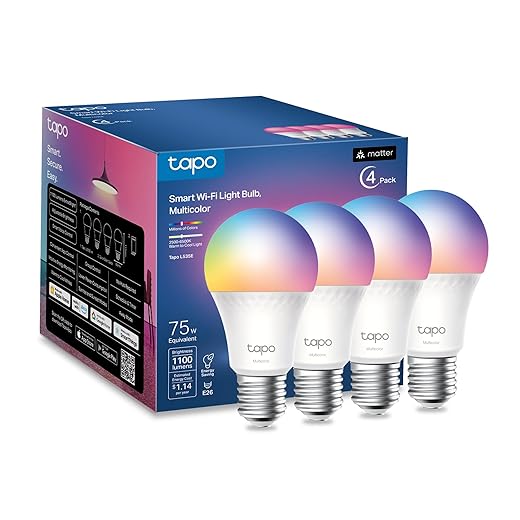
Many available devices on platforms like Amazon, such as the Philips Hue White LED Smart Bulb or the TP-Link Kasa Smart Wi-Fi LED Bulb, enable easy setup via an Android app. These products provide the convenience of mobile control while also syncing perfectly with voice commands. Not only can you issue single commands, but you can also proceed with multiple actions, like saying, “Turn off all lights,” to ensure everything is off before you leave home.
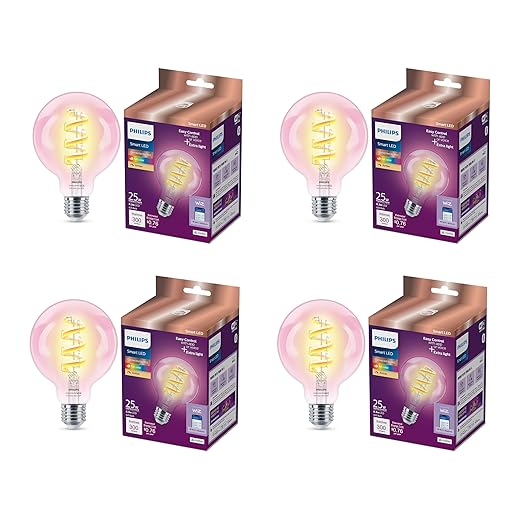
Exploring these features is a significant step towards a smarter living experience. Utilize specific commands to enhance your daily navigation around the house, from turning on lights in the morning to creating a cozy setting at night. Every action contributes to a more efficient lifestyle, making the use of voice commands a simple yet powerful addition to your home. So, take the plunge and discover how easy it can be to command your space with just your voice!
Customizing Lighting Routines and Schedules
Start by creating specific routines for controlling your lights at home. For instance, you can set your Govee Smart Light Bulbs to turn on in the morning for a wake-up routine. This provides a gradual increase in brightness, helping you get out of bed more naturally. If you haven’t tried this yet, it’s a beneficial way to start your day.

Using a matter-certified assistant allows you to monitor your existing lighting setups easily. You can group lights in your home office and add a quick command like “turn all lights off” or “set office lights to 50%.” This feature empowers you to maintain efficiency during work hours.
One useful feature is the ability to create schedules. For example, you can set your lamps to automatically turn on at HR40 or when the sun begins to set. This provides a seamless transition from day to night without remembering to manually adjust settings every time. To get started, simply navigate to the app’s routine section and follow the steps to create a new schedule.
In addition, consider adding to-do reminders for your lighting tasks. If you have an event, you could post a reminder to change the lighting mood to relax or entertain guests. This further adds to the convenience of having smart lighting, making it easy to set up before your guests arrive.
Lastly, for those using smart bulbs, make sure you explore the app features. By customizing these additional settings, you’ll find that the smart home environment becomes a lot more interactive and enjoyable. With options to control for mood or functionality, your lighting can become a real asset within your daily activities.
By implementing these tips, you’ll discover how quickly you can establish a smart lighting routine that enhances both your home and productivity.
Troubleshooting Common Issues with Smart Lights
If you’re facing issues with smart lighting, start by checking the installation. Ensure that all devices are properly connected to your Wi-Fi network. Sometimes, simply switching your router off and on can resolve connectivity issues. Once your lights are integrated into the network, they should respond to commands effectively.
Settings play a crucial role in controlling illumination. Verify the app’s settings to make sure the smart light skill is enabled. If you’ve asked your assistant to turn on the lights but your command didn’t work, it could be due to misconfiguration. Check the names assigned to your lights; they should be clear and distinguishable, especially if you have multiple rooms like an office, living area, or bedroom.
Another common task that users encounter is controlling multiple lights simultaneously. To achieve this, create groups in the app. By organizing your rooms like “Living Room” or “Office”, you can manage the illumination of multiple spaces at once. This function is ideal for when you’re hosting games or simply enjoying a movie night.
For users experiencing delays, consider reconnecting the light bulbs, particularly if they are blue or colored lights. This can often transform their responsiveness. If issues persist, check for firmware updates for both your smart lights and the controlling device. Updated software can enhance performance and offer new functions.
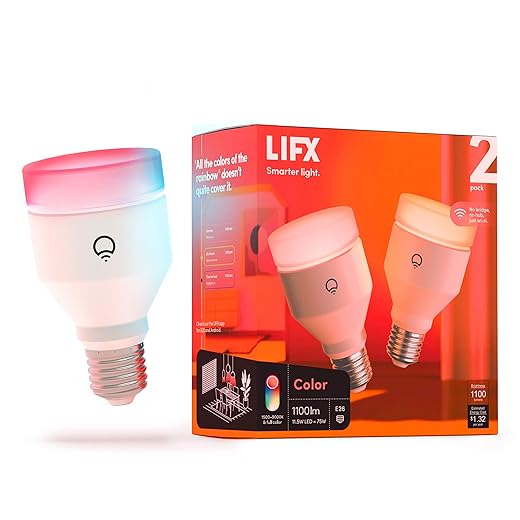
If all else fails, there are many blogs and services offering troubleshooting tips. Products available on Amazon, such as the Philips Hue White and Color Ambiance Bulb or the LIFX A19 Smart Bulb, are known for easy installation and seamless integration. Embrace these options and tailor your smart lighting experience to fit your tasks and lifestyle!

Integrating Smart Lights with Other Alexa Smart Home Devices
To create a seamless and intelligent environment, merging smart lighting with additional voice-controlled gadgets is essential. Begin by selecting products like the Philips Hue White and Color Ambiance Bulbs, which allow you to adjust brightness and color through simple commands. This service provides various options, making them suitable for any occasion, whether you need warm tones for relaxation or brighter hues for a lively gathering.
When integrating these lights, consider registering them under the same name for easier management via your smart speaker. For instance, group your lights according to rooms or functions–like “living room lights” or “dining area.” This organization simplifies the access process, particularly when you want to dim lights or set a specific scene using your voice.
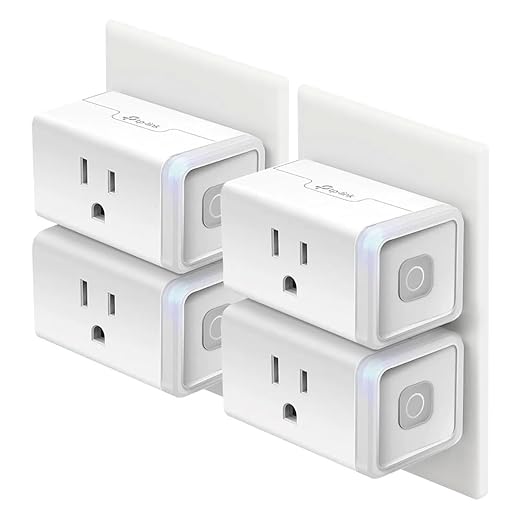
Many users have seen enhanced convenience by combining different brands. Use the TP-Link Kasa Smart Plug alongside your smart bulbs. This allows ordinary lamps to become part of your voice-controlled environment. By integrating these products, you’ll be able to receive messages about your home’s status, ensuring everything works in conjunction.
To make the most of your devices, consider employing complex routines. For example, set up an evening mode that dims specific lights and turns on your smart speaker to play soft music–creating the perfect atmosphere with just one voice command.
With these simple steps, you’re paving the way for a smarter living space, where everything is interconnected and operates harmoniously, transforming your daily actions into enjoyable experiences.
Q&A:
What smart lighting options are compatible with Alexa?
Alexa works with a variety of smart lighting options. Popular brands include Philips Hue, LIFX, Wyze, and TP-Link Kasa Smart Bulbs. These smart lights usually connect via Wi-Fi or Zigbee and can be controlled through Alexa-compatible devices. When choosing smart bulbs, it’s important to ensure that they are explicitly labeled as compatible with Alexa for seamless operation.
How can I set up my smart lights with Alexa?
Setting up smart lights with Alexa involves a few simple steps. First, make sure your smart bulbs are installed and powered on. Then, download and open the corresponding app for your smart bulbs on your smartphone or tablet. Follow the in-app instructions to connect the lights to your Wi-Fi network. Once your lights are set up with their app, open the Alexa app, go to ‘Devices,’ and select ‘Add Device.’ Choose the type of light you are adding, then follow the prompts to complete the setup. Finally, you can control the lights using voice commands through your Alexa device.
Can I create routines with Alexa to control my lights?
Yes, creating routines with Alexa is a great way to automate your lighting. In the Alexa app, go to the ‘Routines’ section and tap the ‘+’ icon to add a new routine. You can set triggers, such as specific times of the day or voice commands. Then, choose actions, which can include turning on or off your smart lights, dimming them, or changing their color if your lights support it. This feature allows you to create customized lighting scenarios based on your daily activities, improving convenience in your home.
What voice commands can I use to control my lights with Alexa?
Alexa supports a variety of voice commands for controlling your lights. Common commands include “Alexa, turn on the living room lights,” “Alexa, dim the bedroom lights to 50%,” and “Alexa, change the color of the kitchen lights to blue.” You can also use device groups, like “Alexa, turn off all lights,” if you have multiple smart bulbs connected. Make sure you know the names you’ve assigned to your lights for effective communication.
What should I do if Alexa is having trouble controlling my lights?
If Alexa is not controlling your lights as expected, there are a few troubleshooting steps to consider. First, check that the smart bulbs are powered on and connected to your Wi-Fi network. Ensure that your Alexa device is online and functioning properly. You may also want to unlink and then relink the smart bulb’s app in the Alexa app. If issues persist, restarting both your Alexa device and the smart bulbs can help. Lastly, ensure the firmware for both your smart bulbs and Alexa is up to date for optimal performance.
What types of lights can be controlled with Alexa?
Alexas can control a wide range of lights, including smart bulbs, smart switches, and smart plugs. Brands like Philips Hue, TP-Link, and LIFX offer intelligent lighting solutions that integrate seamlessly with the Alexa ecosystem. You can also control string lights and other types of decorative lighting if they are connected to a compatible smart plug or device. Make sure to check if the lighting products are Alexa-compatible before purchasing.


