


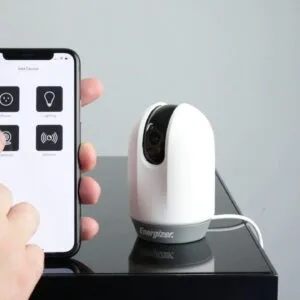


In an era where technology seamlessly integrates into our daily lives, the concept of a smart home has transformed from a luxury into a necessity. Homes are increasingly equipped with devices that bring efficiency and convenience–from smart thermostats to intelligent lighting systems. However, this convenience comes with a significant set of security challenges. Cyberattacks have become common, targeting a range of vulnerabilities in smart home devices, and it’s crucial for homeowners to stay informed about potential threats and how to protect themselves.
According to researchers in the field of cybersecurity, many homeowners are unaware of the various problems associated with smart home technology. With companies rapidly releasing new devices every day, the lack of timely updates and effective security patches makes these gadgets more vulnerable to attacks. It is essential to gain a robust understanding of how to secure your network, ensuring that every connected device–from your kitchen appliances to your mobile devices–is tightly protected against any potential compromise.
Configuration and customization are critical in creating a secure smart home environment. Even the most advanced security systems can fail if not properly set up. This guide will outline a step-by-step approach to help you effectively automate your home while keeping your identity and data secure. Whether you want to enhance your home’s physical security with locking systems or fortify your digital defenses by changing default passwords, every action contributes to greater overall safety. Follow these guidelines to ensure you stay one step ahead of emerging threats and enjoy the benefits of a truly secure smart home.
Strengthening Your Smart Home Network
In today’s world, a smart home is not just a luxury but a necessity, with many homes featuring devices connected to a wide range of networks. To ensure the safety of these devices, it’s vital to strengthen your smart home network, making it a robust line of defense against potential hacking attempts. The following steps will help you keep your network secure and protect your smart devices from the daily threats hackers pose.
First, consider upgrading your router. Ideally, invest in a router that meets the latest security standards and provides a strong link to the internet. Products like the TP-Link AX6000 Wi-Fi 6 Router not only support high-speed connectivity but also offer cloud-based security features that can detect and minimize bugs. Having a powerful router as your network’s central hub makes it look more robust and secure.
- Regularly update your router’s firmware to patch any bugs and improve security.
- Use a complex password for your Wi-Fi network that includes a mix of letters, numbers, and symbols.
- Set up a guest network for visitors to keep your main network more secure.
Another essential aspect is the setup of a virtual private network (VPN). This adds an additional layer of security, making it harder for hackers to infiltrate your home network. Services like NordVPN provide easy-to-use applications that can protect your connection and allow you to browse securely.
Finally, stay informed about the latest developments in smart home technology. The market is ever-evolving, and there are thousands of products being launched regularly. By applying the most current standards and solutions, you can stay a step ahead of potential threats. Consider following tech editors and websites that specialize in smart home reviews to maintain an updated list of recommended devices.
In conclusion, securing your smart home network doesn’t have to be an afterthought. By following these easy steps, you can create a safe environment for your smart devices, protecting them from the high-risk landscape of hacking and cyber threats. Remember, a well-secured network is your first line of defense against hackers and gives you peace of mind as you enjoy the convenience of a smart home.
Change Default Router Passwords
When it comes to securing your smart home, one of the most important measures is to change the default passwords of your routers. Many households overlook this step, potentially leaving their networks vulnerable to attacks. Default passwords are widely known and can easily be found by people with malicious intentions. By changing them, you make it harder for hackers to gain access to your home network.
Replacing the default password with a stronger, unique one is an easy task that anyone can tackle in just a few minutes. Look for passwords that mix letters, numbers, and symbols for enhanced security. For example, a password like “MyHome2025!@” is much stronger than the factory settings. This small tweak can prevent your devices and personal information from being exposed, ensuring that your smart home remains private and secure.
Experts agree that once the default password is changed, the vulnerabilities within your network decrease significantly. However, keep in mind that this is just one part of a broader security strategy. It’s crucial to stay informed about the latest technological advancements and ensure that your appliances and devices are compatible with the latest secure protocols. You might want to consider routers like the ASUS RT-AX88U or the NETGEAR Nighthawk AX12, both available on Amazon, which offer advanced security features and trusted performance.
In today’s world, where living is increasingly connected, taking the time to tweak your router’s settings can save you from future disruptions. By providing strong security measures, you allow your family to enjoy smart technology without the fear of being hacked.
Create a Separate Network for Smart Devices
Creating a separate network for your smart home devices is an essential step in securing your living environment. As the usage of smart devices increases, so does the risk of cyber threats. By setting up a distinct Wi-Fi network for your smart devices, such as smart lighting, door openers, and security cameras, you ensure that any breaches on one network do not affect your entire digital experience.
There are numerous pros to having a dedicated network. This setup allows you to limit the access of smart devices to your personal data and reduces the potential exposure to outdated software that could be vulnerable. Many companies have recently released models that support advanced security features, but you must regularly confirm that these devices are updated according to regulations. A separate network gives you peace of mind, knowing that your smartphones and laptops are insulated from any security risks associated with different smart gadgets.
To create this separate network, begin by adjusting your router’s settings. Log into your router’s web interface, typically indicated in the product manual or on reputable websites. You might need to look for an option to set up a guest network or a new SSID. Ensure that your new network is secured with a strong password and includes the latest encryption standards. This simple step can significantly increase safety.
Among the smart devices you might want to connect to this second network are Logitech Circle View cameras and Lutron Caseta smart lighting systems, both available on Amazon. These products not only enhance your automated home experience but do so while offering advanced functionalities that align with your increasing technological needs.
Don’t forget to label your networks clearly – for instance, “Smart Home Devices” and “Personal Network” – as this helps you and other residents to navigate easily through your connections. It’s essential to adjust your preferences based on your usage and timeframe, ensuring that each device interacts correctly with others while maintaining compatibility.
Taking these steps not only secures your smart home but creates an efficient path for managing the growing number of smart technologies in your home. Being proactive in cybersecurity reinforces the degree of safety for your family and all your valuable data.
Enable Network Encryption (WPA3)
In today’s digital landscape, securing your smart home is crucial. One of the most advanced ways to enhance your network security is by enabling WPA3 encryption. This recent update in Wi-Fi security technology allows users to enjoy increased privacy and protection against potential threats. Unlike its predecessor, WPA2, WPA3 includes several changes that make it harder for attackers to gain access to your network.
WPA3 works by providing improved authentication methods, which means that even if someone tries to guess your password, they won’t easily gain access. This feature is especially important for households that rely on numerous smart devices such as lighting systems, security cameras, and other tech gadgets. According to researchers, adopting WPA3 can significantly reduce the risks associated with using smart home devices, allowing you to enjoy peace of mind when accessing your home network remotely.
Setting up WPA3 is quite easy. Most modern routers come with this feature, but if you’re looking to upgrade, consider a premium router like the TP-Link Archer AX6000 or the Asus RT-AX86U. These devices not only support WPA3 but also include additional features for customization and multi-factor authentication. By simply installing a router that supports WPA3 and adjusting a few settings, you’ll be taking the first step to securing your network.
For those using older routers that don’t support WPA3, it might be time to think about making a change. The market is filled with a variety of products that provide advanced security features. The investment in a new router can improve your overall digital privacy and reduce the risk of unauthorized access, especially as more devices become a part of your daily activities. Remember, enhancing your home security shouldn’t be a daunting task; it’s about making informed decisions that will protect you and your family.
| TP-Link Archer AX6000 | Yes | Advanced settings available | View on Amazon |
| Asus RT-AX86U | Yes | Multi-factor authentication | View on Amazon |
| Nighthawk AX12 | Yes | Easy setup and configuration | View on Amazon |
By making these crucial changes, you’ll not only improve the security of your network but also enhance the functionality of your smart home. Don’t underestimate the importance of protective measures in the digital age; investing in a secure Wi-Fi setup is key to enjoying the comforts of modern living without unnecessary concerns.
Managing Smart Device Security
Smart devices are an exciting part of modern living, but they can also be vulnerable if not properly secured. When you connect these devices to your home network, they’re just as vulnerable to being hacked as your computers. This connection creates a series of potential entry points that malicious parties can exploit. Understanding the compatibility between devices and implementing security measures can ultimately assist in protecting your home environment.
Many people view security for smart devices as an afterthought. However, it’s essential to make this a priority. Whether you’re using a smart lighting system or a voice assistant like Amazon Alexa, the protections you put in place matter. For instance, look for devices with built-in security features, such as the TP-Link Kasa Smart Wi-Fi Plug. This device not only offers energy automation but also includes security protocols that help ensure your home’s peace of mind.
One common vulnerability comes from inappropriate activation settings. Devices that collect data or listen for voice commands may have total access to your home’s systems if left unguarded. It’s worth checking the settings on your smartphone or any voice assistants to ensure data sharing is limited only to those necessary. Keeping sensitive information secure is crucial, especially if you use devices that process payment information, like smart security cameras with credit card features.
Using tools to monitor your network is an excellent way to understand which devices are connected and whether they’re at risk. Many smart home products, such as the Ring Video Doorbell, come with options to enhance security through real-time monitoring and alerts. These mechanisms create peace of mind, knowing you’re aware of any inappropriate activity inside your home.
As smart home technology continues to evolve, adopting proactive measures to secure your devices is key. This includes understanding the best practices for managing your systems, responding to potential vulnerabilities, and ensuring your smart home supports your lifestyle without burdening you with security concerns. With the right strategies in place, you can enjoy the conveniences of a connected home with confidence.
Update Device Firmware Regularly
In today’s smart home era, regular firmware updates are not just an afterthought; they are a crucial part of ensuring the security of your devices. Firmware is the software that runs on your devices, whether they’re smart lights, temperature sensors, or cloud-based assistants. As we’ve learned from various incidents, weak firmware can leave backdoors open for hackers, allowing them to gain unauthorized access. Thus, it’s essential for every user to prioritize these updates.
Many smart devices download updates automatically, but it’s worth checking their settings on a regular basis to ensure everything is up-to-date. For devices that don’t update automatically, it’s essential to visit the manufacturer’s website periodically. This simple action can save you from unnecessary risks. You can often find comprehensive instructions on how to manually install patches and updates if needed.
Consider your routers; they play a critical role in the communication between your smart home devices. Checking for firmware updates on these devices is just as important as updating your smart thermostats and assistant speakers. Many households overlook this component, but hackers are always finding new ways to exploit weak points in networks. Products like the TP-Link Archer AX6000 can assist in keeping your network safe, offering robust security features combined with high performance.
Although it may seem like a small task, regularly updating your firmware can mitigate many risks associated with smart technology. Make it a part of your routine, like changing the air filters or adjusting your smart lights’ settings. With just a few minutes each month, you can dramatically increase the peace of mind that comes with knowing your home is secure.
Questions and answers:
What are the first steps to secure my smart home devices?
To begin securing your smart home, first, change the default passwords on all your devices. Default passwords are often easy for hackers to guess. Next, ensure that each device is connected to a secure Wi-Fi network. Use a strong Wi-Fi password and consider enabling WPA3 security if your router supports it. Regularly check for firmware updates and apply them to keep your devices protected against new vulnerabilities. Lastly, consider separating your smart home devices onto a different network from your main devices, like computers and smartphones, for added security.
How can I protect my privacy when using smart home devices?
To safeguard your privacy, it’s crucial to review the privacy settings for each smart device and application. Most devices allow you to adjust how much data you share, such as location information and usage statistics. Use device-specific settings to limit data collection. Additionally, be cautious about enabling voice assistants and ensure that you’re aware of what data they may record. Regularly check which apps have access to your smart devices and revoke permissions that seem unnecessary. Using privacy-focused alternatives, when available, can also enhance your protection.
Are there specific brands or types of smart home devices that are considered more secure?
While no smart home device is completely immune to security threats, some brands are recognized for their commitment to security practices. Look for manufacturers that provide regular firmware updates, have a transparent privacy policy, and offer end-to-end encryption for data. Popular brands like Google Nest, Amazon Echo, and Philips Hue have established a reputation for solid security measures. It’s also beneficial to consult online reviews and security assessments for specific models before purchasing, ensuring you choose devices with strong security backgrounds.
What should I do if I suspect my smart home network has been compromised?
If you suspect that your smart home network has been compromised, taking immediate action is critical. Start by disconnecting the affected devices from the network to prevent further breaches. Change passwords for your Wi-Fi network and all smart devices, using unique and strong passwords. Investigate unusual activity through device logs or notifications to identify any unauthorized access. Consider resetting the compromised devices to factory settings to eliminate any potential malware. Finally, updating your network’s security settings and enhancing overall security protocols can help prevent future incidents.


