




Understanding how to wire your thermostat can seem daunting, but it’s a crucial step in making your home more comfortable and efficient. Whether you’re replacing an old unit or installing a new one, following the right steps ensures everything is connected properly. With a few basic materials and tools, including a screwdriver and a reference manual, you can control your heating and cooling systems effectively, potentially saving money on your energy bills.
- Turn off power at the breaker before starting to prevent electrical hazards.
- Label or photograph existing wires to ensure correct reconnection to new terminals.
- Match colored wires to terminals: R power, W heating, Y cooling, G fan, C common.
- Use proper tools: screwdriver, wire strippers, voltage tester, drill if mounting is needed.
- Refer to the thermostat wiring diagram and consult a pro if unsure or compatibility issues arise.

In this guide, we’ll take you through the various steps to install your thermostat successfully. You will learn how to toggle between heating and cooling settings, as well as how to wire the electrical components involved. By following our direct instructions, you’ll find that the process can be done in just a few minutes, making it easier than you think. Ensure that you have labeled all wires correctly, and keep an eye on the panel, as this will help you avoid any confusion during installation.
So, let’s dive in! This guide is designed to walk you through every detail, from inserting the jumper wires to controlling your home’s temperature settings seamlessly. With this information at your fingertips, you’ll be ready to handle the wiring with confidence and transform your living space into a more energy-efficient environment. Plus, once it’s done, you’ll have the satisfaction of knowing you’ve completed the job yourself.

ELEGOO 120pcs Multicolored Dupont Wire 40pin Male to Female, 40pin Male to Male, 40pin Female to Female Breadboard Jumper Ribbon Cables Kit Compatible with...
Understanding Thermostat Wiring Basics
When starting your journey into thermostat installation, it’s essential to understand the basics of electrical wiring. The wires that connect your thermostat to your HVAC system are crucial for its proper functioning. Getting to know these wiring configurations can take the stress out of the process, especially for newcomers.
Typically, thermostats operate on a standard low voltage system, like 24VAC, which is safe and easy to handle. You’ll often find terminals labeled with letters such as R, Y, G, W, and C, corresponding to different functions like heating and cooling. For example, the R terminal is usually for the power wire, while W is for heating. Always reference the wiring guide included with your thermostat, as this can help avoid potential mistakes.
- Step-by-step approach: Start by turning off the power to your system at the breaker.
- Remove the cover: Detach your old thermostat carefully to access the wires.
- Mark the wires: Use labels or color codes to mark each wire’s corresponding terminal.
- Insert anchors: If needed, secure any mounting anchors for your new unit.
- Connect the wires: Attach each wire to the proper terminal based on your markings.
Sometimes, the trickiest part of this process involves making sure the right wires are properly attached. If you’re switching to a smart thermostat, like the Cync model, make sure to follow the installation guide closely. This kind of device may also connect to your home network via Wi-Fi, allowing geofencing and schedules for maximum efficiency.
For those considering a ductless HVAC system, be aware of the different wiring requirements it may have. Additionally, using sensors can enhance the efficiency of your setup, allowing you to monitor temperature and adjust accordingly. The location of your thermostat plays a significant role in its ability to accurately sense the environment, so ensure it’s placed away from direct sunlight or drafts.
In summary, with a little preparation and the right tools, wiring your thermostat can be a straightforward task. If at any point you feel uncertain, don’t hesitate to consult a professional who can guide you through the process. For your reference, consider checking products like the Ecobee SmartThermostat or the Nest Learning Thermostat on Amazon to understand what features might be important for your home.
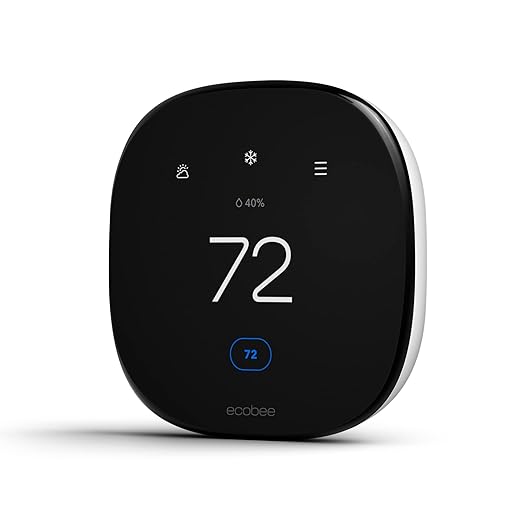
ecobee Smart Thermostat Enhanced - Programmable Wifi Thermostat - Works with Siri, Alexa, Google Assistant - Energy Star Certified - Smart Home
Identifying Common Thermostat Wires
When you start the process of wiring your thermostat, it’s essential to understand the different colored wires involved. These wires typically serve specific functions that help your heating and cooling system operate properly. Most thermostats utilize 24VAC (24 volts alternating current), which is the standard voltage for residential units. You will find four primary wires in a typical setup: R (red), W (white), Y (yellow), and G (green). Each of these wires plays a crucial role in controlling the system effectively.
The R wire is connected to the power source and can be either R or Rc if separated for heating and cooling systems. The W wire controls the heating function, while the Y wire is responsible for the cooling function. Lastly, the G wire controls the fan. Understanding these colors and their functions will help you keep your home comfortable and energy-efficient.
While you might encounter a few additional wires based on your specific heating and cooling unit, don’t let this trouble you. For example, if you have a ductless system or a more complex setup like geofencing capabilities, you may also find wires for auxiliary heating or other functions. It’s helpful to refer to the user manual of the thermostat you’ve purchased, as it offers diagrams and further insights into wire functions. If you need to insert a jumper wire, it’s also a common practice to ensure the system functions correctly during the installation process.
To make things easier, you could watch a video tutorial on wiring thermostats that illustrates these connections with a picture of each wire and its function. This can help you understand how to match the wires securely in the gangbox without any guesswork. With a little effort, you can connect everything within minutes, giving you more control over your heating and cooling systems.
Always keep in mind the size and compatibility of the thermostat when purchasing. Many options are available on platforms like Amazon, such as the Honeywell RTH9585WF Smart Thermostat or the Ecobee SmartThermostat. These devices not only allow for easy pairing with your home systems but also offer features like scheduling and remote control. Check reviews and energy meters to ensure you find a unit that offers you maximum comfort and efficiency.
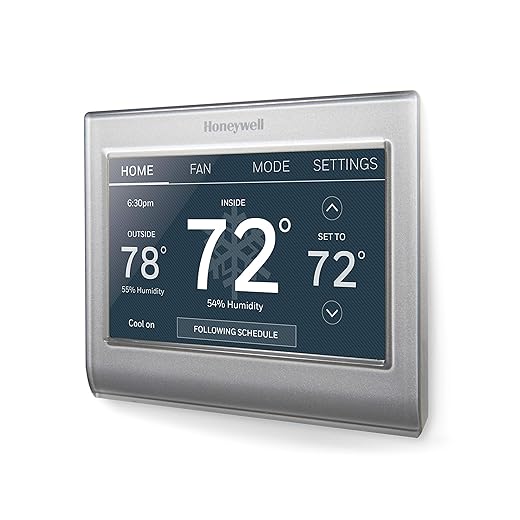
Honeywell Home RTH9585WF1004 Wi-Fi Smart Color Thermostat, 7 Day Programmable, Touch Screen, Energy Star, Alexa Ready, Gray

Honeywell Home T9 WIFI Smart Thermostat, Smart Room Sensor Ready, Touchscreen Display, Alexa and Google Assist
ELEGOO 120pcs Multicolored Dupont Wire 40pin Male to Female, 40pin Male to Male, 40pin Female to Female Breadboard Jumper Ribbon Cables Kit Compatible with...
Reading the Wiring Diagram
When you’re ready to wire your thermostat, understanding the wiring diagram is crucial. This diagram will help you learn which wires are connected to the correct terminals. A quick glance at your thermostat’s wiring diagram could offer you all the information you need to move forward with confidence. During this endeavor, you should practice identifying the different color-coded wires, as they’re typically used for specific functions like heating or cooling.
Don’t rush this process; taking your time to correctly understand everything will make a significant difference. For instance, the common wire often labeled as “C” is essential for 24VAC systems. If you’re working with a dual-fuel system, the diagram will guide you in correctly wiring the controls for both the heating and cooling sides of your HVAC system.
As you read the diagram, you might come across terms like “gangbox” or “backplate.” These terms refer to the positions where your wires should be inserted and how the thermostat mounts onto the wall. If you see a sensor indicated in the diagram, it’s crucial for ensuring the efficiency of your heating and cooling systems, making it vital for you to understand its role.
If you ever feel unsure, don’t hesitate to consult a professional. They could advise you on wiring options tailored to your local setup. Websites like Amazon offer many products, such as the Ecobee SmartThermostat or Honeywell Home T9, which come with clear wiring instructions and user-friendly features like geofencing.
Honeywell Home T9 WIFI Smart Thermostat, Smart Room Sensor Ready, Touchscreen Display, Alexa and Google Assist
Additionally, when selecting the correct thermostat, ensure you choose one that meets your needs for efficiency and convenience. For underfloor heating systems, look for models that can control water pumps effectively. Pro tip: Always keep the wiring diagram handy and refer to it while working to avoid any mistakes!
Tools You Will Need
Before diving into the installation of your new thermostat, it’s essential to gather the right tools to ensure that everything goes smoothly. The correct tools will make the process easier and help avoid any potential issues down the line. Below, you will find a list of the must-have items for your thermostat installation.
| Tool | Purpose | Example from Amazon |
|---|---|---|
| Screwdriver Set | To securely insert screws into the wall and hold the thermostat in place. | Craftsman Screwdriver Set |
| Wire Strippers | To strip the colored wires for better contact and connection. | Irwin Wire Strippers |
| Drill | If your thermostat model requires additional wall mounting, a drill will help make the process easier. | DEWALT Drill Set |
| Voltage Tester | Crucial for checking the electrical circuit to ensure it’s safe to work with your HVAC system. | Klein Tools Voltage Tester |
| Smartphone | Used to view installation videos or manufacturer guidelines during setup. |
Once you’re equipped with these basic tools, you’re ready to begin your thermostat installation. Whether you’re placing the device away from windows or ensuring it’s entirely compatible with your electric heater system, having the right tools will save you time and effort. Always refer to the manual for your specific model for guidelines on wiring and functions.
If at any point you feel uncertain about the installation process, don’t hesitate to check for additional resources online or contact a tech professional who can guide you through the specifics. Following the manufacturer’s instructions will help you avoid complications, ultimately leading to efficient HVAC functioning and possibly saving on your electric bill!
Safety Precautions Before Starting
Before diving into the wiring of your thermostat, it’s essential to take some safety precautions. Understanding the basics of your heating system is crucial. Every device has its specific requirements and designations, so ensure you have the right 24VAC setup. This will help prevent any potential damage during the installation process. Plus, make sure your home’s power is turned off at the breaker panel to avoid any contact with electricity while working on the thermostat.
Once you’ve ensured everything is powered down, gather your tools. You’ll need a screwdriver to mount the thermostat securely to the wall and some wall anchors for added stability. When choosing the right anchors, consider the wall material–whether it’s drywall, concrete, or something else. Fishing around for tools can waste time, so gather them beforehand. A step-by-step information guide will be invaluable here–like using a built-in guide from a thermostat provider may help you configure your device effectively.

120Pcs #8 Self Drilling Drywall Anchors and Screws kit #8 x 1-1/4”- Superb Wall Anchors for Drywall, Holds Upto 75lbs – No Drill Hole Required with These Dry...
During the installation, pay attention to the color coding of the wires. Each wire serves a specific purpose, and understanding these terms will enhance your efficiency in wiring the thermostat correctly. For instance, the red wire usually connects to the R terminal, which powers the heat or cooling function. A little mistake can lead to various issues, so ensure every connection is secure and in the right place before proceeding. If you feel uncertain about making these connections, it’s always wise to consult or hire a technician for an in-depth check.
After successfully wiring your thermostat, give yourself a moment to review your work. The mounting should feel solid, and every wire must be correctly inserted into its terminal. After clicking the thermostat back into place, you can turn the power back on and run a quick test to confirm it’s fully connected. Remember, safety first! Taking these precautions will make the entire process smoother, enhancing the heat efficiency of your home.
Disconnecting Your Old Thermostat
When you’re ready to update your heating system with a new thermostat, the first step is to disconnect your old model. This process may seem daunting, but by following a few simple steps, you’ll be able to do it with ease. Begin by turning off the power to the heating system to avoid any electrical hazards. This is crucial–never skip this step! Locate the main breaker and turn it off to ensure that your old thermostat is completely powered down.
Once the power is off, you can start the disconnection process. Carefully remove the cover of your old thermostat. Depending on the model, it may be attached with screws or clips. If it’s secured with screws, take a small screwdriver–like a Phillips screwdriver–and gently unscrew them. For those that clip on, a little wiggling helps to free it without damage. As you do this, keep a pencil handy to make notes about the wiring placement. This will help you reference online guides or instructions from your thermostat manufacturers, like Ecobee or others, during installation.
Next, you’ll want to disconnect the wires attached to your old thermostat. Each wire will typically be connected to a terminal labeled with letters–like “R” for red (power) or “W” for white (heat). Take a moment to take a picture or label these wires before disconnecting them, as this will be essential for your new setup. If your old thermostat had any sensors or additional commands that linked to heating schedules, make sure to note which wires are attached and where they are connected.
After you’ve safely detached your old thermostat, it’s a good idea to give a little clean to the wall surface. This not only creates a nice place for your new unit but also helps ensure a secure fit. Before proceeding to install your new thermostat, review what systems you have–like whether it’s a forced air unit or another type–and check if there are any specific regulations for installation. This in-depth research helps prevent issues later on and allows you to enjoy the benefits of your smart technology, especially if you’ve chosen a brand new model with advanced features.
Disconnecting your old thermostat doesn’t need to be complicated. Just follow these steps, take notes, and you’ll be prepped and ready to move forward with your new device. Happy wiring!
Questions and answers:
What tools do I need to wire my thermostat?
To wire your thermostat, you’ll need a few basic tools: a screwdriver (typically Phillips and flathead), wire strippers, a voltage tester, and pliers. These tools will help you safely remove the old thermostat, expose the wiring, and properly connect the new unit.
Can I wire a smart thermostat using existing wiring?
Yes, most smart thermostats can be wired using existing wiring from your old thermostat. However, it’s essential to check the compatibility of your HVAC system with the smart thermostat you plan to install. Some smart models may require a common wire (C-wire) for powering features like Wi-Fi connectivity. If you don’t have a C-wire, you might need to run a new wire or consider using a power adapter kit offered by some manufacturers.
What steps should I follow to safely disconnect my old thermostat?
Start by turning off the power to your HVAC system at the breaker box to ensure safety. Next, remove the front cover of the old thermostat. Use a voltage tester to double-check that there is no power before you proceed. Take a picture of the wiring for reference, then disconnect the wires from the old thermostat terminals. Label each wire with tape for easy identification when wiring the new thermostat.
How do I connect the wires to my new thermostat?
Refer to the reference photo you took earlier or the wiring diagram included with your new thermostat. Match each labeled wire from your system to the corresponding terminal on the new thermostat. Usually, this includes connecting wires to labels like R (power), W (heat), Y (cooling), and G (fan). Ensure the wires are securely attached and avoid crossing them, which could cause malfunctions. After wiring, replace the thermostat cover and restore power from the breaker box.
What should I do if my new thermostat doesn’t turn on after installation?
If your new thermostat isn’t powering on, first ensure that the power to your HVAC system is still on at the breaker. Check that all wires are connected properly and that you didn’t omit the C-wire if required. If everything seems correct, try resetting the thermostat. If the issue persists, consider consulting the user manual for troubleshooting tips or contacting customer support for assistance, as there may be a compatibility issue or a fault with the unit itself.
What tools do I need to wire my thermostat?
To wire your thermostat, you will need a few basic tools. First, a screwdriver—usually a Phillips head—is essential for removing and securing the thermostat cover and connecting wires. A voltage tester is important for ensuring that the power is off before you begin working. In addition, a pair of wire strippers will help you prepare the wires for connection. Lastly, having a drill and some screws handy may be useful if you need to secure your thermostat to the wall. It’s also a good idea to have a flashlight available if you are working in a dimly lit area.


